  • 117 Product updates
Messaging Performance in Automations (February 27, 2025)
New Automation Settings (February 27, 2025)
Introducing Browse Abandonment! (February 17, 2025)

Introducing Browse Abandonment! (February 17, 2025)

We are excited to announce the release of Browse Abandonment Automation, now available for all customers on Plus and above. This new feature provides users with the ability to target customers who have abandoned a browsing session with session data customization and product selection optimization to create highly personalized and targeted re-engagement campaigns. Key FeaturesChoose your consideration periodTailor the timing of your browse abandonment emails by selecting a consideration period that aligns with your customers' purchasing behavior. This allows you to engage with customers when they are most likely to convert.Customizable Browse Abandonment triggerSet up specific triggers based on session data to automatically initiate browse abandonment campaigns. Customize these triggers to match the unique behaviors and preferences of your target audience for maximum impact.Drag and drop email blockEasily create and design your browse abandonment emails with our intuitive drag and drop editor. Add dynamic content blocks, images, and personalized messages without needing any coding skills.Product recommendation optimization capabilityEnhance your browse abandonment emails with tailored product recommendations. Utilize our optimization tools to suggest the most relevant products, increasing the likelihood of conversion and boosting sales.BenefitsImproved revenue recoveryAutomatically send personalized emails to customers with high purchase intent, increasing the number of recovered sales from browse abandonment.Streamline marketing efficiencyStreamline the re-engagement process by automating follow-ups to high-intent purchasers, reducing the time and effort spent on manual re-engagement tasks.Higher customer lifetime value (LTV)Consistently re-engage customers with relevant and timely communications, improving retention rates and overall customer satisfaction.Upgrade InstructionsBrowse Abandonment is available for customers with WooCommerce integration. To set up Browse Abandonment, start by going to Settings → Integrations → WooCommerce. From there, select the consideration period that best describes a customer who is most likely to purchase.Additional Resources Browse Abandonment Overview  Create Browse Abandonment  Connect WC to AC

Related products:Ecommerce integrations
New Contacts Performance Report (February 21, 2025)

New Contacts Performance Report (February 21, 2025)

We are excited to announce the release of the new Contacts Performance Report, now available for all customers on ActiveCampaign. This report allows users to gain deeper insights into their contact engagement, track trends in list and tag performance, and make data-driven decisions to optimize their marketing strategies. Key FeaturesOverview Metrics Quickly see total contacts, active contacts, and non-active contacts at a glance, with growth indicators to track changes over time.Advanced Filters Customize your view with filters for tags, lists, and date ranges to focus on specific segments of your audience.Contact Trends Graph Visualize contact activity trends over time, comparing total, active, and non-active contacts to identify engagement patterns. Lists Section Review top-performing lists with metrics on total, active, and non-active contacts, along with growth trends to monitor list health. Tag Section Understand which tags are driving engagement by analyzing contact numbers and growth rates for your top tags.BenefitsData-driven decision making Use comprehensive data to make informed decisions on marketing strategies, audience segmentation, and content targeting. Improved list management Easily monitor list performance to identify which lists are growing, declining, or driving the most engagement. Optimized tag utilization Discover which tags are most effective in segmenting and engaging your audience, helping you refine your tagging strategy. Customizable reporting Tailor your report view with advanced filters and date ranges to focus on the most relevant data for your goals. Actionable growth insights Identify growth opportunities by comparing contact activity and growth rates across different lists and tags.Upgrade InstructionsNo additional setup is required. Simply log in to your account, navigate to the the left panel. Click Reports, then Contacts, and then Contacts Performance.Additional Resources What is the contact performance report?

Related products:Reporting
Calendly Integration in AI Campaign Builder (February 12, 2025)
Recipe Import Enhancement (January 23, 2025)
Update: Custom Objects Personalization in Automations (January 13, 2025)

Update: Custom Objects Personalization in Automations (January 13, 2025)

We are excited to announce the expansion of Custom Objects Personalization, available now in your automations. This update enhances automation capabilities by allowing you to leverage Custom Objects across every relevant action, providing deeper personalization and more dynamic workflows. Key Features Available in more actions Now supported in actions like sending SMS, internal notifications, if/else, webhook, and more.  Dynamic personalization Automactically select the triggering Custom Object record or the most recent record if no trigger is available.  Broader control Use custom objects to personalize deals, tasks, emails and notifications seamlessly. BenefitsImproved personalization Custom Objects can now be used in any action that supports personalization ensuring tailored messaging and automation flows. Greater flexibility Users can now integrate Custom Object data in various automation steps, making workflows more dynamicUpgrade InstructionsCurrently, to use personalization for Custom Objects other than the triggering object within the Email Designer (e.g., for Send Email actions), users must manually copy and paste the personalization tags from the Manage Objects page into the editor.Supported actions:Send email Send a direct 1-1 email Send a transactional email Send an SMS Send an internal notification If/Else Split Goal Webhook Add a note Add a deal Update a title Add a deal task Add a deal note Add an account note Add contact to accountAdditional ResourcesCustom Object Automation triggers

Related products:Automation
Update: Predictive Sending (January 28, 2025)

Update: Predictive Sending (January 28, 2025)

We are excited to announce an update to Predictive Sending. This feature is now available for dedicated campaigns in both the Campaign Calendar and the Campaign Sending Page. Powered by AI, Predictive Sending ensures that your campaigns are optimized for maximum engagement.Key ImprovementsOptimal send times Predictive Sending uses advanced algorithms to determine the best time to send your emails based on recipient behavior.BenefitsBoost engagement Send emails when your audience is most likely to open and interact with smarter, data-driven delivery. Schedule emails for deals, flash sales, or last min holiday offers to land in inboxes at peak engagement times. No more guesswork Let AI handle the timing based on your audience’s behaviors and preferences.Upgrade and Setup InstructionsAvailable to Pro and Enterprise usersPredictive Sending’s timing is recalculated every week, applying to customers who are actively using this feature. To use this Predictive Sending, users must, Send at least on campaign with Predictive Sending enabled What you can expect:After the first campaign has been sent with Predictive Sending or if the automation block is active. The system starts learning and calculating the optimal send time to align with evolving customer preferences.  Predictive sending calculations occur weekly, so results will take time to reflect.  Only users actively using the feature are included in the calculationsAdditional Resources• How to use predictive sending to automate send times

Related products:Campaigns
Update: Date/Time Conditions (January 28, 2025)

Update: Date/Time Conditions (January 28, 2025)

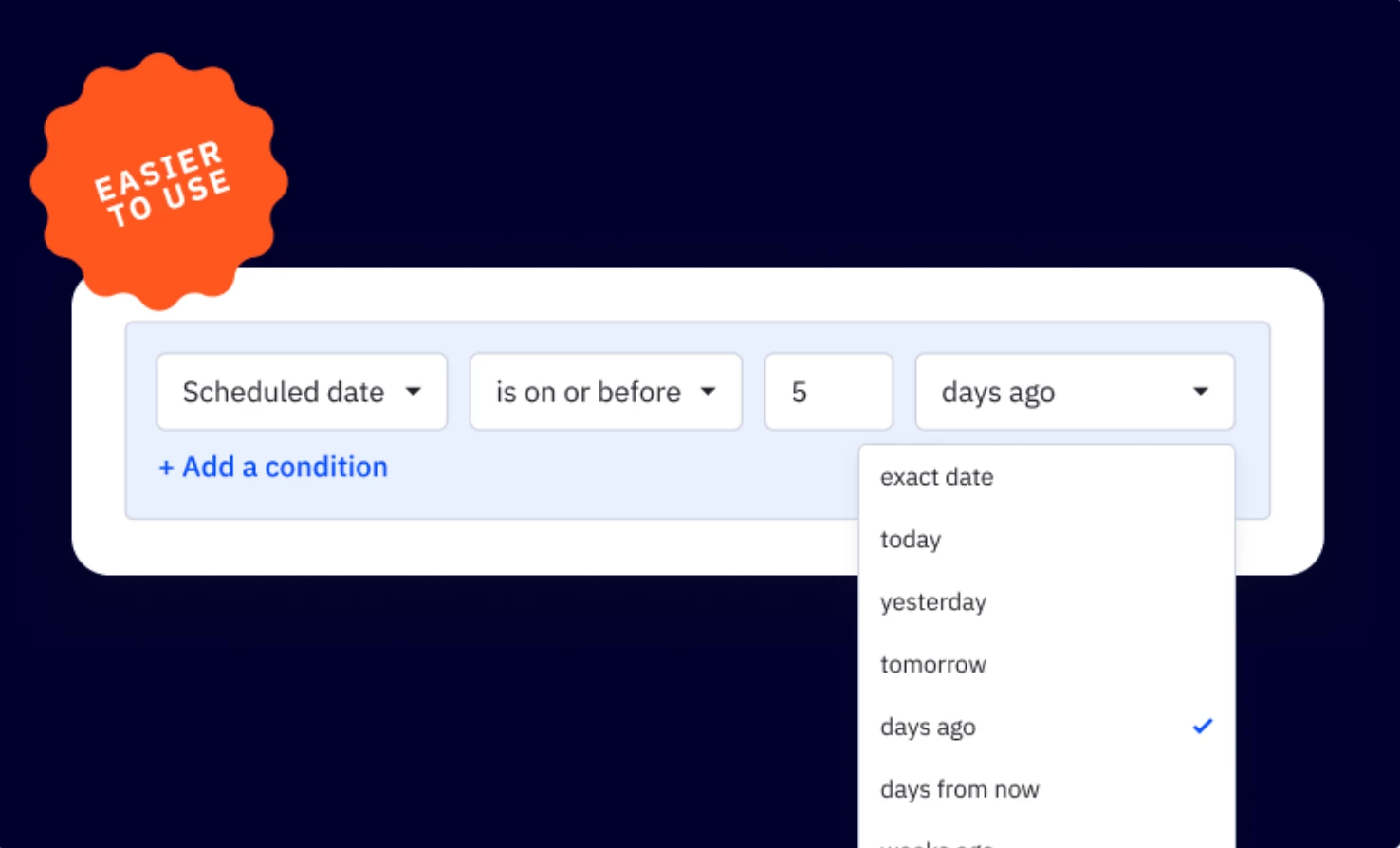
We are excited to announce a highly requested update to the Date/Time condition in the segmentation builder. This update provides greater flexibility and control which makes it easier to fine-tune the timing of your workflows. This is going to be rolled out to accounts this week.  Key ImprovementsUnified date/time condition selection Expanded date/ time range with timezone, month, date, year, and time all in one place when you need to set your conditions.Improve usability New interface that allows you to streamline date-based conditions, making it easier to set up automations. BenefitsGreater flexibility Support more complex date/time configurations, allowing you to build highly customized workflows. Time-saving and error-reducing Reduces setup time and eliminates room for errors associated with the old date/time conditions. Upgrade and Setup InstructionsFor existing automationsNo actions required Your current automations using existing wait time conditions and logic will remain unchanged and continue working as they do today. Optional updates If you would like to leverage the new conditions, you can manually update your existing automations.For new automations Simply use the updated Date/Time condition builder to configure your automation workflows date/time. Additional Resources• How to set date/time conditions for automations to trigger or wait until a specific date/time?

Related products:Automation
New Wait Steps in Automation (January 28, 2025)

New Wait Steps in Automation (January 28, 2025)

We are excited to announce an update to the wait step in automation, offering new options for configuring time-based wait. This enhancement will provide 2 additional options to wait “until a specific day and/or time” and “until a custom date field matches”, providing greater flexibility, clarity, and more control to help you streamline your automations. This is going to be rolled out to accounts this week. Key Features2 new wait time selectionsWait for a specific day and/or time Set wait to trigger or exit an automation based on a specific day, month, year, or time in the futureWait until a custom date field matches Set wait to trigger or exit based on a custom date field from your contacts, deals, or accounts. Choose to wait for a reminder date, deadline or any other date-specific event in your workflows. Other wait time selections Wait for a set period of time Set a custom duration of time combining hours, minutes, days, weeks, months, and years.  Wait until specific conditions are met Wait until a specific segment conditions are met, enabling more dynamic and customized workflows.  New interface that allows you to streamline date-based conditions, making it easier to set up automations. BenefitsGreater flexibility Create highly customizable wait actions, reducing setup time and complexity. Improved control Expanded the options for new wait times to give you more clarity and control to make your automations more flexible and efficient.Upgrade and Setup InstructionsFor existing automationsNo actions required Your current automations using existing wait time conditions and logic will remain unchanged and continue working as they do today. Optional updates If you would like to leverage the new wait time, you can manually update your existing automations.For new automations Simply use the updated wait time selections to configure your automation workflows.Additional Resources How to add a wait step into your automations?

Related products:Automation
New Feature: ACHQ Template Sync Manager (January 16, 2024)
SMS Reply Trigger & Trigger-Specific Conditions (January 10, 2024)
Update: Campaigns Calendar with Industry Send Times (December 20, 2024)

Update: Campaigns Calendar with Industry Send Times (December 20, 2024)

We are excited to announce a new update to the Campaigns Calendar featuring industry best send times. This feature helps you optimize your email campaigns by using engagement insights from audiences in similar industries. It provides a data-driven starting point for scheduling email campaigns without the need for historical account data while ensuring your messages reach your audience when they’re most active. Key Improvements Instant tailored benchmarks Easily identify the best times to send emails based on data from accounts in the same industry for relevant and actionable data. Actionable insights Great for launching new campaigns or optimizing existing ones without extensive account- based audience data by leveraging insights from similar industry accounts. Benefits of the UpdateIncrease engagement Boost engagement by sending emails when your audience is most likely to engage Save time Eliminate the guesswork in choosing send times with ready-to-use, data-backed recommendations. Upgrade and Setup InstructionsThis is available for Pro and Enterprise tiers Navigate to your Campaign Calendar page and select the gear icon to toggle on the Industry Best Send Times and you will see the best send days highlighted on your campaigns calendar. Additional ResourcesHow to access the Campaigns Calendar? How to send campaigns at the best day and time?

Related products:CampaignsAI
New Campaigns Performance Report (December 20, 2024)

New Campaigns Performance Report (December 20, 2024)

We are excited to announce the release of the new and improved Campaigns Performance Report, now available for all customers on ActiveCampaign. This new feature enhances the functionality of our product, providing users with comprehensive insights into their email campaign performance, enabling data-driven decisions to optimize results and demonstrate return on investment. What's New All Campaigns Reports Provides an overview of key email metrics like emails sent, open rates, click rates, deliverability, and revenue. Includes options to filter campaigns by type (e.g., auto-responders, split tests) and compare performance across different time ranges. Customizable Export Options Allows users to export campaign data as a CSV file, including any applied filters. Revenue Attribution Accurately track the revenue generated by each campaign, helping you understand which strategies are driving the most value. MPP Filter Signal MPP to help maintain the integrity of campaign data, allowing marketers to focus on genuine recipient behavior. Individual Campaigns Report Offers detailed insights into individual campaign performance, including engagement metrics, clicked links, deliverability, and audience geography. Users can share reports by printing them, generating a public link, or emailing them. Clicked Links Analysis Offers deep insights into recipient behavior by tracking which links were clicked, helping to refine content and strategy for better engagement. Split Campaigns Provides a report on split test campaigns, allowing users to compare performance between different versions. Campaign Recipient Report Delivers granular insights into individual recipients, helping optimize targeting, personalization, and overall campaign strategy. Resend Options Provides the ability to resend a campaign to new contacts, those who haven’t opened the email, or to create a new campaign based on the original.Benefits of the UpdateImproved decision-making Access in-depth campaign analytics to make informed decisions that drive better results. Streamlined reporting Customizable export options and comprehensive metrics make it easier to share insights with your team and stakeholders. Comprehensive metrics Analyze performance across all campaigns and individual campaigns, with detailed metrics that provide clarity on key insights. User-friendly interface Enjoy a better user experience with an intuitive interface that makes it easier to access the insights most important to you. Upgrade and Setup InstructionsThis update is currently only available for new trials and customers as of December 20, 2024. Additional ResourcesCampaigns Performance Report Individual Campaign Performance Report

Related products:Reporting
AI Campaigns Builder Enhancement (December 9, 2024)
Updates to Automations Builder (November 21, 2024)

Updates to Automations Builder (November 21, 2024)

We are thrilled to announce a significant update to the Automations Canvas, now available for all customers. With the new interface as the default, users can access a more streamlined experience immediately, reducing setup steps and enhancing ease of use. This update brings several enhancements to streamline the automation-building experience, improving navigation, readability, and usability. What's NewChip styling for actions Actions now feature chip styling, enhancing readability and helping users quickly identify different steps in their automations. Scrollbars in Automation Builder Scrollbars are back in the automation builder, making it easier to navigate through long or complex workflows. Find and search A new keyword search feature (CTRL + F) allows users to quickly find specific items within their automations, improving efficiency.Key ImprovementsImproved visual clarity Chip styling for actions provides a cleaner look, making it easier for users to follow the flow of their automations. Simplified navigation The reintroduced scrollbars help users navigate long automations, reducing the time spent searching for specific steps.Benefits to this updateStreamlined workflows Users can now build automations more quickly and efficiently with improved readability and navigation tools. Time-saving search feature The custom Find & Search function helps users locate items based on keywords, boosting productivity within the automation builder. Greater user experience These updates collectively make the Automations Canvas more intuitive, minimizing friction and enabling users to focus on building impactful automations. Additional ResourcesCreate an automation from scratch Blog: Setting new standards for marketing automation in 2024

Related products:Automation
Introducing AI Campaign Builder (November 8, 2024 )
New: ACHQ Pushdown Automations (October 30, 2024)
Now live: TikTok Ads Integration (October 30, 2024)
AI Brand Kit Color Picker (October 17, 2024)

AI Brand Kit Color Picker (October 17, 2024)

We are excited to announce a new update to the email designer’s color picker. You can now easily select your brand’s colors directly when designing emails, ensuring that every campaign stays true to your brand’s identity and style. What's NewDirect access to brand colors Access and apply your brand’s specific colors directly within the Email Designer. Consistent branding Maintain a consistent look and feel across all your campaigns by using your predefined colors. Seamlessly switch brand colors If you manage multiple brands, you can directly switch between different brand kits, ensuring the correct colors are always applied. Streamlined workflow Skip the manual color input– your brand colors are directly available, saving time and reducing errors. Benefit of the UpdateConsistent branding Ensure your emails always reflect your brand’s identity.  Increased efficiency Speed up the design process by having your brand colors readily available.  Increased flexibility Switch between multiple brand kits seamlessly to align colors for different campaigns  Setup InstructionsBrand Kit’s color picker is available to all plan tiers, with varying access levels:Starter Access to one brand kit as well as access to the color picker within the email designer.  Plus, Pro, and Enterprise Access to multiple brand kits and easily switch between them using the color picker Additional ResourcesUsing hex color codes in your emails and forms How to use the new AI Brand Kit? Access color picker in email designer

Related products:CampaignsActive IntelligenceAI
Standard Conversion Events (October 10, 2024)
Update: Campaigns Calendar with Best Send Times (October 8, 2024)
New Acuity Scheduling Integration (October 2, 2024)

New Acuity Scheduling Integration (October 2, 2024)

We're excited to announce that Acuity Scheduling now integrates seamlessly with ActiveCampaign through the power of a Custom Object! This integration enables effortless syncing of client and appointment details, whether it’s a first-time booking or a follow-up to help grow your business. By capturing a comprehensive historical record of all appointment touchpoints, it ensures you never miss an opportunity to connect. Key ImprovementsSync appointments Automatically sync your contacts and appointment details for each client booking. Map Acuity Intake Forms Send custom form responses directly to ActiveCampaign fields. Multiple Acuity Triggers Automate workflows for appointments that are booked, rescheduled, updated, or canceled. Track appointment history Keep track of all appointments for each contact. Personalized messages Use appointment data to send personalized emails, reminders, and offers.BenefitsSave Time Automate tasks like client follow-ups, so you have more time to focus on your business. Precise Segmentation Use the appointment details stored to group your clients into different segments. Improved Engagement Personalized messages feel more relevant to your contacts, increasing the likelihood of opening, reading, and interacting with the content. Higher Conversion Rates Tailoring messages to individual preferences or behaviors can lead to more conversions, as people are more likely to respond to content that meets their specific needs. Increased Retention When customers receive content that resonates with them, they are more likely to stay engaged with your brand, leading to long-term retention.Setup InstructionsAcuity Scheduling is available Plus, Pro, and Enterprise customers. Additional ResourcesHow to connect Acuity Scheduling to ActiveCampaign

Related products:Integrations
Action Update: Send Email (October 1, 2024)
A new, simpler automation builder (October 3, 2024)

A new, simpler automation builder (October 3, 2024)

We are thrilled to announce a significant update to the Automation Builder, now available to all customers. This update brings several enhancements and improvements to the existing functionality, providing users with an even better automaton building experience. What's NewModernized design The Automation Builder now features a fresh, visually appealing interface that simplifies even the most complex processes, making it easier for both beginners and advanced marketers to create sophisticated automations. New Action modal Selecting and searching for automation actions is now faster and more intuitive, with improved discoverability and a modernized interface.Key Improvements Better performance We've optimized the builder to be more responsive, ensuring that actions are quick and smooth, even within complex workflows. Improved Action search Instantly find the actions you need with our enhanced search functionality. Just type in what you're looking for, and the quick add feature will seamlessly integrate it into your automation, streamlining your workflow. Better Action discoverability The updated menu makes it simpler and more intuitive to explore and select the right actions, whether you're a beginner or an experienced Benefits of the Update The sleek and intuitive design streamlines navigation, allowing you to focus more on crafting effective strategies and less on navigating the tool. With faster performance and the new quick add feature, you'll be able to build and manage automations more efficiently, saving time and effort. Setup InstructionsTo try out the new automation features, simply toggle on the new experience within any new or existing automations. Additional Resources Create an automation from scratch Blog: Setting new standards for marketing automation in 2024

Related products:Automation