
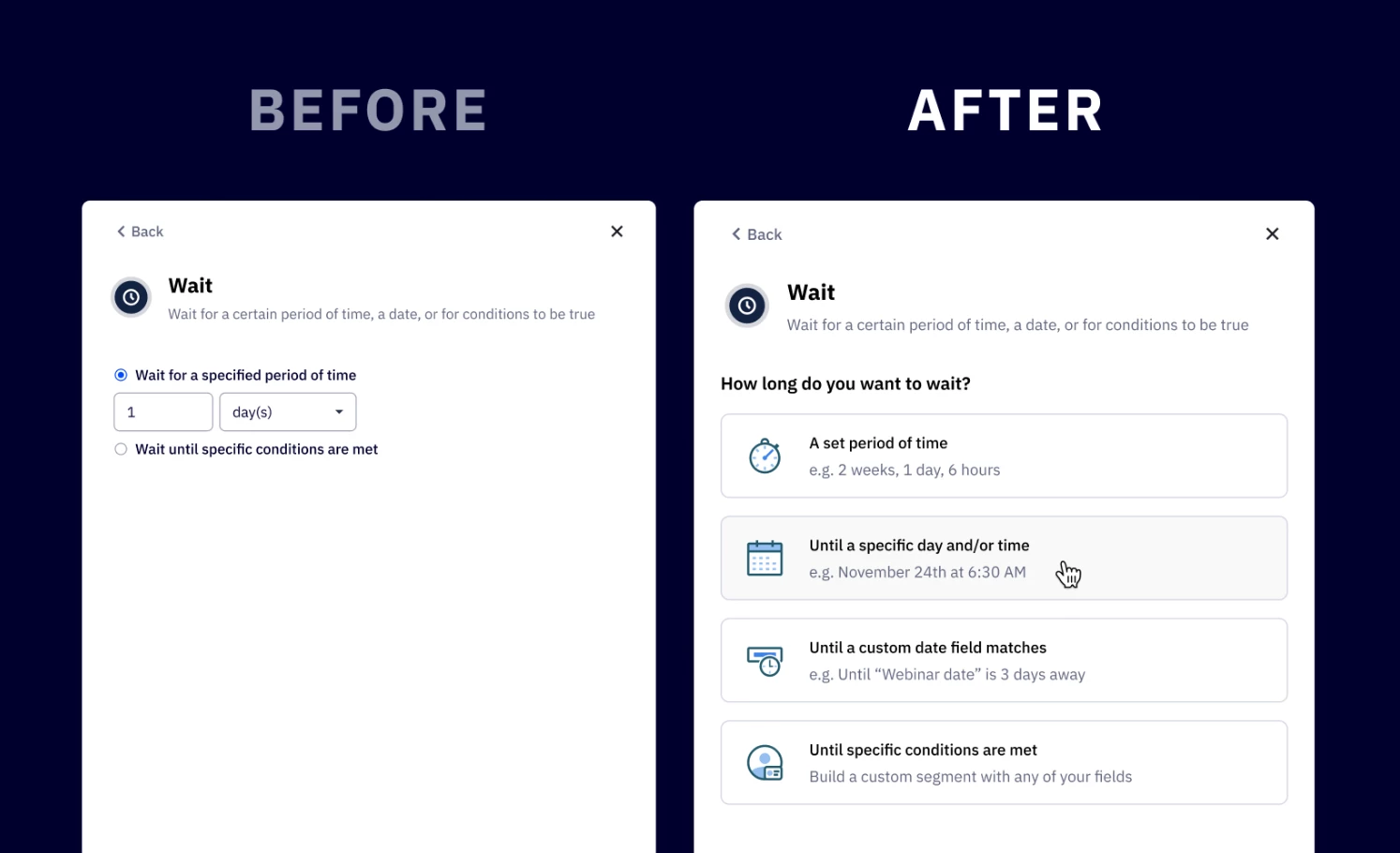


We are excited to announce an update to the wait step in automation, offering new options for configuring time-based wait. This enhancement will provide 2 additional options to wait “until a specific day and/or time” and “until a custom date field matches”, providing greater flexibility, clarity, and more control to help you streamline your automations. This is going to be rolled out to accounts this week.
Key Features
2 new wait time selections
- Wait for a specific day and/or time
Set wait to trigger or exit an automation based on a specific day, month, year, or time in the future
- Wait until a custom date field matches
Set wait to trigger or exit based on a custom date field from your contacts, deals, or accounts. Choose to wait for a reminder date, deadline or any other date-specific event in your workflows.
- Other wait time selections
- Wait for a set period of time
Set a custom duration of time combining hours, minutes, days, weeks, months, and years. - Wait until specific conditions are met
Wait until a specific segment conditions are met, enabling more dynamic and customized workflows.
- Wait for a set period of time
New interface that allows you to streamline date-based conditions, making it easier to set up automations.
Benefits
- Greater flexibility
Create highly customizable wait actions, reducing setup time and complexity. - Improved control
Expanded the options for new wait times to give you more clarity and control to make your automations more flexible and efficient.
Upgrade and Setup Instructions
For existing automations
- No actions required
Your current automations using existing wait time conditions and logic will remain unchanged and continue working as they do today.
- Optional updates
If you would like to leverage the new wait time, you can manually update your existing automations.
For new automations
- Simply use the updated wait time selections to configure your automation workflows.