  • 117 Product updates
Streamline Data Management with the New Copy Field Action (September 8, 2025)
Introducing the ActiveCampaign MCP Server (June 17, 2025)

Introducing the ActiveCampaign MCP Server (June 17, 2025)

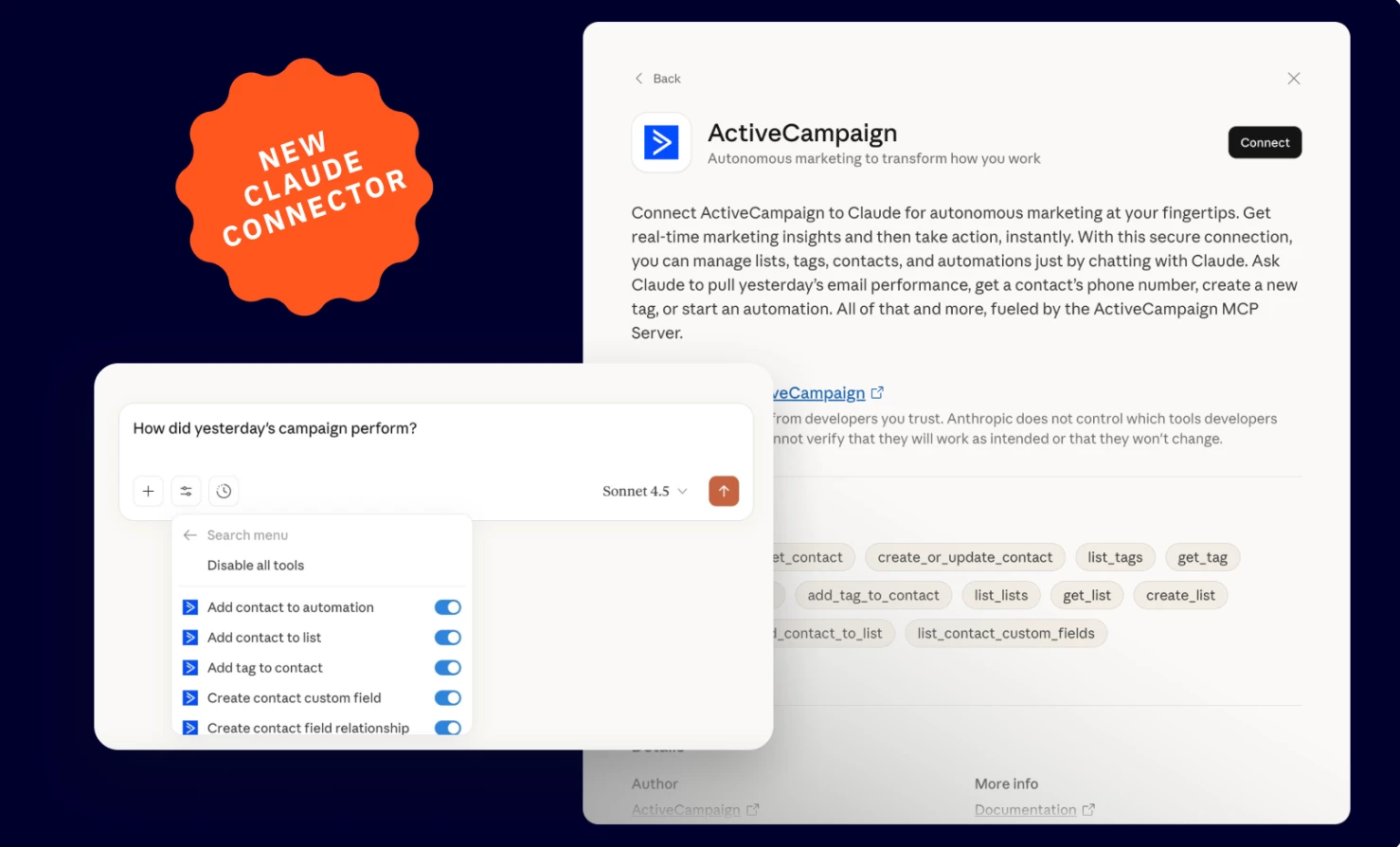
We are excited to announce the release of ActiveCampaign’s MCP Server , now available for all plan tiers. The MCP (model context protocol) server bridges your favorite AI tool (Claude, Cursor, etc.) to your ActiveCampaign account. With this connection, you can ask your AI tool for suggestions based on your marketing data or have it make updates in ActiveCampaign.  Key FeaturesGive AI tools (like Claude and Cursor) secure access to your ActiveCampaign account Your AI can now perform marketing tasks and retrieve marketing data instantly from ActiveCampaign. Manage your ActiveCampaign data through natural language commands Prompt your AI to update contacts, analyze campaign performance, and manage automations. BenefitsMake updates without logging in Have your AI update ActiveCampaign contacts instantly. Data-informed responses Get AI insights and suggestions based on your REAL marketing data. Make AI your business assistant Connect to multiple MCP Servers, including ActiveCampaign’s, to manage your business solely from your AI tool. Use Cases- Example Prompts Contact management “Add ‘VIP Customer’ tag to contact Sarah Doe.” Email insights “List all my ActiveCampaign campaigns and their performance metrics for this month.” Automation management “Remove John Bow from the ‘Re-engagement campaign’ automation in ActiveCampaign.”  Setup InstructionsGet connected in just a few clicks with no coding required. Learn more and connect here. Additional ResourcesExample Prompts & Tool List Demo Video

Related products:Integrations
Update: Salesforce Person Account Sync (August 5, 2025)

Update: Salesforce Person Account Sync (August 5, 2025)

We are excited to announce an update to the Salesforce integration. This enhancement makes it possible to sync Salesforce Person Accounts with your ActiveCampaign contacts. Key FeaturesFlexible bi-directional sync This update allows you to sync all newly created Salesforce Person Accounts or Person Accounts that meet a custom criteria. Dynamic field mapping Select the ActiveCampaign contact fields and Salesforce Person Account fields you’d like to sync. Integration tags This integration generates tags to help you identify and manage contacts included in this Person Account sync.  BenefitsActiveCampaign contacts stay updated and consistent with your Salesforce account You’ll have the accurate data you need to send segmented and personalized marketing to your contacts. Use CasesNew Person Account created in Salesforce Sync this new Person Account with ActiveCampaign to start a welcome series automation. New contact created in ActiveCampaign Add the tag ‘added-to-salesforce-person-account’ to create a new Salesforce Person Account and start this sync. Fields change in ActiveCampaign or Salesforce When a field in either ActiveCampaign or Salesforce is updated, this bi-directional sync works to keep both records consistent. Please NoteBefore updating to Person Accounts, we recommend testing the Person Account sync functionality. You can do so in a Salesforce scratch org or sandbox environment, as well as an ActiveCampaign sandbox account. This will help verify that the integration works as expected with your specific Salesforce configuration. Upgrade and/or Setup InstructionsThe Salesforce integration is available for all customers on Enterprise.Get the latest Salesforce Integration version, here.Additional ResourcesSync Salesforce Person Accounts with your ActiveCampaign account How to connect Salesforce to ActiveCampaign

Related products:Integrations
Add Contacts Directly Into Automations (August 5, 2025 )
Introducing AI Actions Library (August 1, 2025)

Introducing AI Actions Library (August 1, 2025)

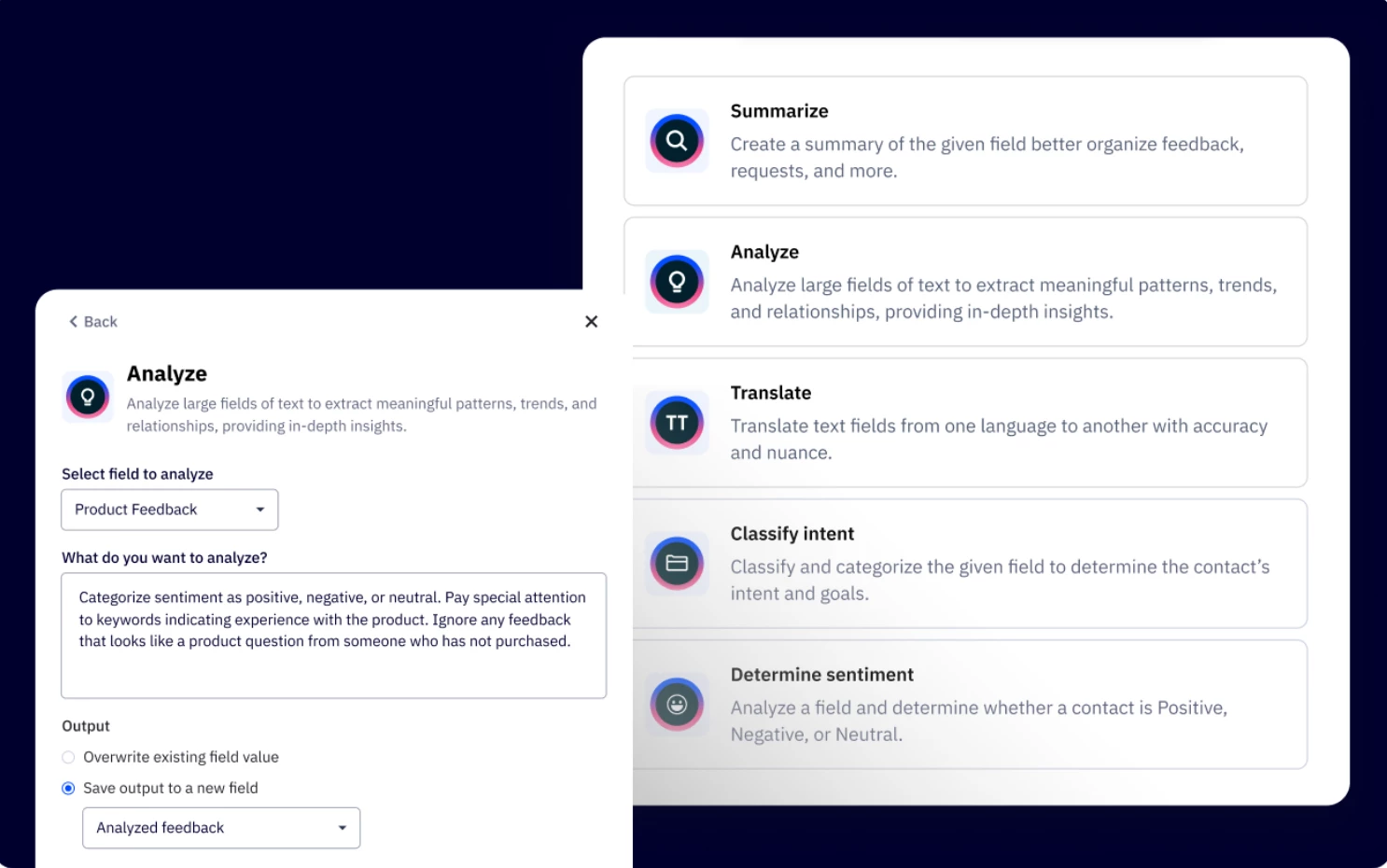
We are excited to announce the release of the AI Actions Library, now available in Automations. This feature, formerly known as the AI Prompt Block, introduces a powerful way to automate marketing tasks using AI. Leverage pre-built AI Actions to write email content based on contact behavior, and tag or update contact fields to deliver hyper-personalized messages based on customer behavior or responses. Key FeaturesExplore ready to use AI actions Access a library of AI Actions within the automation builder Analyze and categorize data Detect sentiment, analyze customer behavior, and classify text based on customer feedback. Identify positive, neutral, or negative feedback and trigger appropriate follow-ups. Real-time personalization Generate contextual responses based on customer inquiries. Instant translations Automatically detect customer’s language and translate messages to send replies in their preferred language. BenefitsHyper-personalization Tailor responses, segment customers, and trigger the right responses based on AI insights. Increased efficiency Automate data analysis, decision-making, and personalized message generation, reducing manual work. Improves customer engagement Detects sentiment based on customer feedback and delivers the right message at the right time. Upgrade and/or Setup InstructionsAI Actions Library is available as an add-on that allows you to supercharge your workflows with AI-driven automation and intelligence. To purchase, you will have to be an admin to your ActiveCampaign account.Click your name on the bottom left of your screen. Click the "Billing & Upgrade" option in the modal window. Under the “Your Plan” tab, click “Edit” where it says “X Activities.” A modal window will appear. Use the dropdown to select your activity limit. The modal will show you the additional cost you will be charged each month. Click the “Review purchase” button. Click “Confirm purchase.” Additional ResourcesHow to purchase Activities? AI Actions Library Overview

Related products:Active IntelligenceAI
Automation Conversion Tracking (July 17, 2025)

Automation Conversion Tracking (July 17, 2025)

We are excited to announce the release of Automation Conversion Tracking. This feature empowers users to measure automation effectiveness by linking workflows to specific conversions or business goals, no more guesswork in which automations drive real results. Key FeaturesTrack automation ROI quickly Assign conversions or business goals to automations and view performance metrics Exit contacts automatically Option to remove contacts from automations once they convert Rebranded action  “Jump to” replaces legacy “Goals” action for clearer workflow navigation BenefitsProve campaign impact See exactly which automations drive conversions. Save time Automatically exit converted contacts to focus on high-value audiences Upgrade and/or Setup InstructionsLead nurturing Track how many leads convert to customers after entering a nurture workflow. Tie nurture automations directly to revenue by tracking which leads convert (e.g., demo bookings, purchases) Retention campaigns Measure upsell success from retention automations. Identify which retention triggers (e.g., discount offers, feature tutorials) actually drive expansions. Event follow-up sequence Attribute registrations or purchases to specific automation touches. Exit leads automatically after conversion to avoid redundant touches. Additional ResourcesMeasuring Automations with Conversions and Business Goals About the "Jump To" automation action

Related products:Automation
Introducing Active Intelligence Workspace (July 24, 2025)

Introducing Active Intelligence Workspace (July 24, 2025)

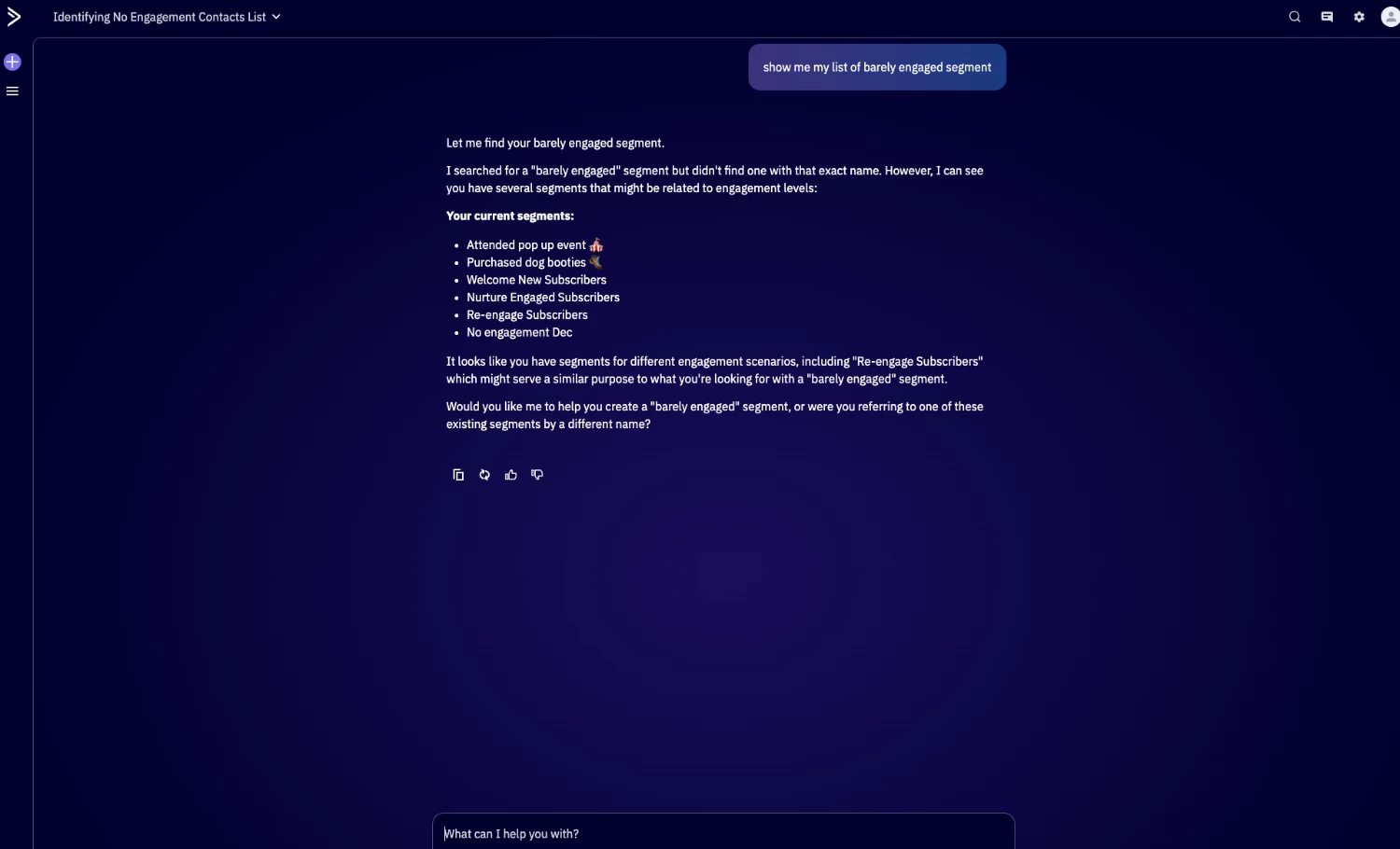
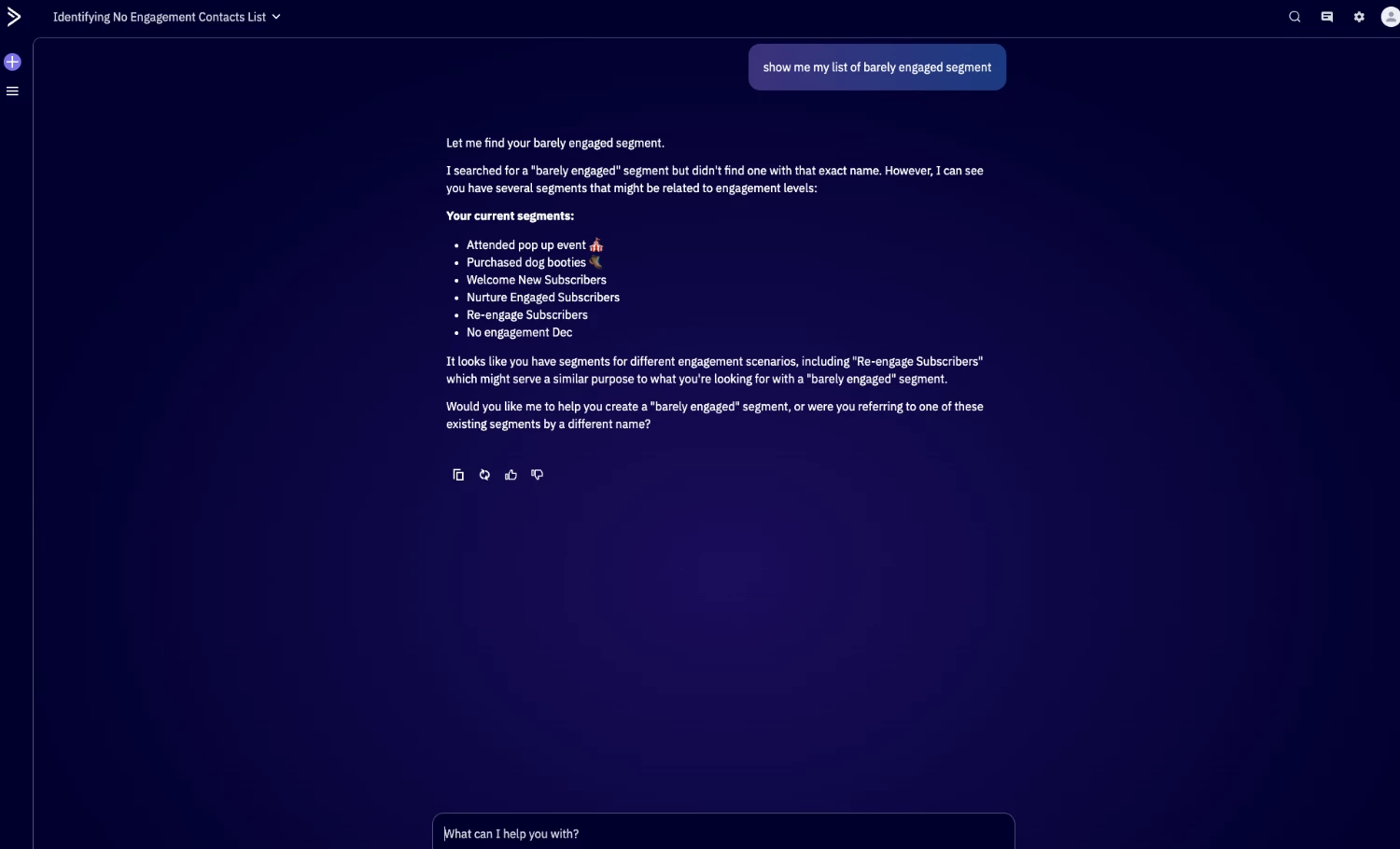
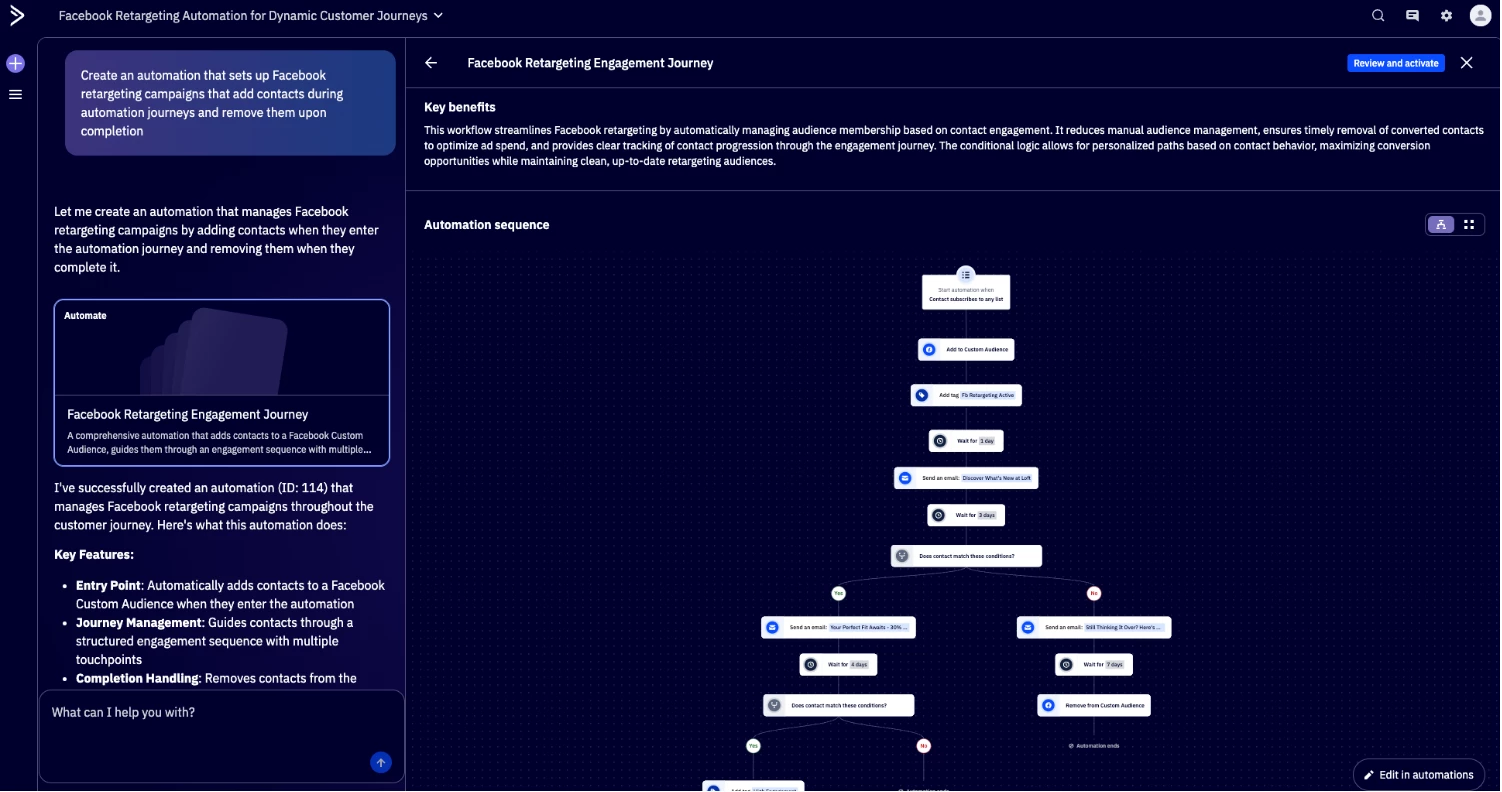
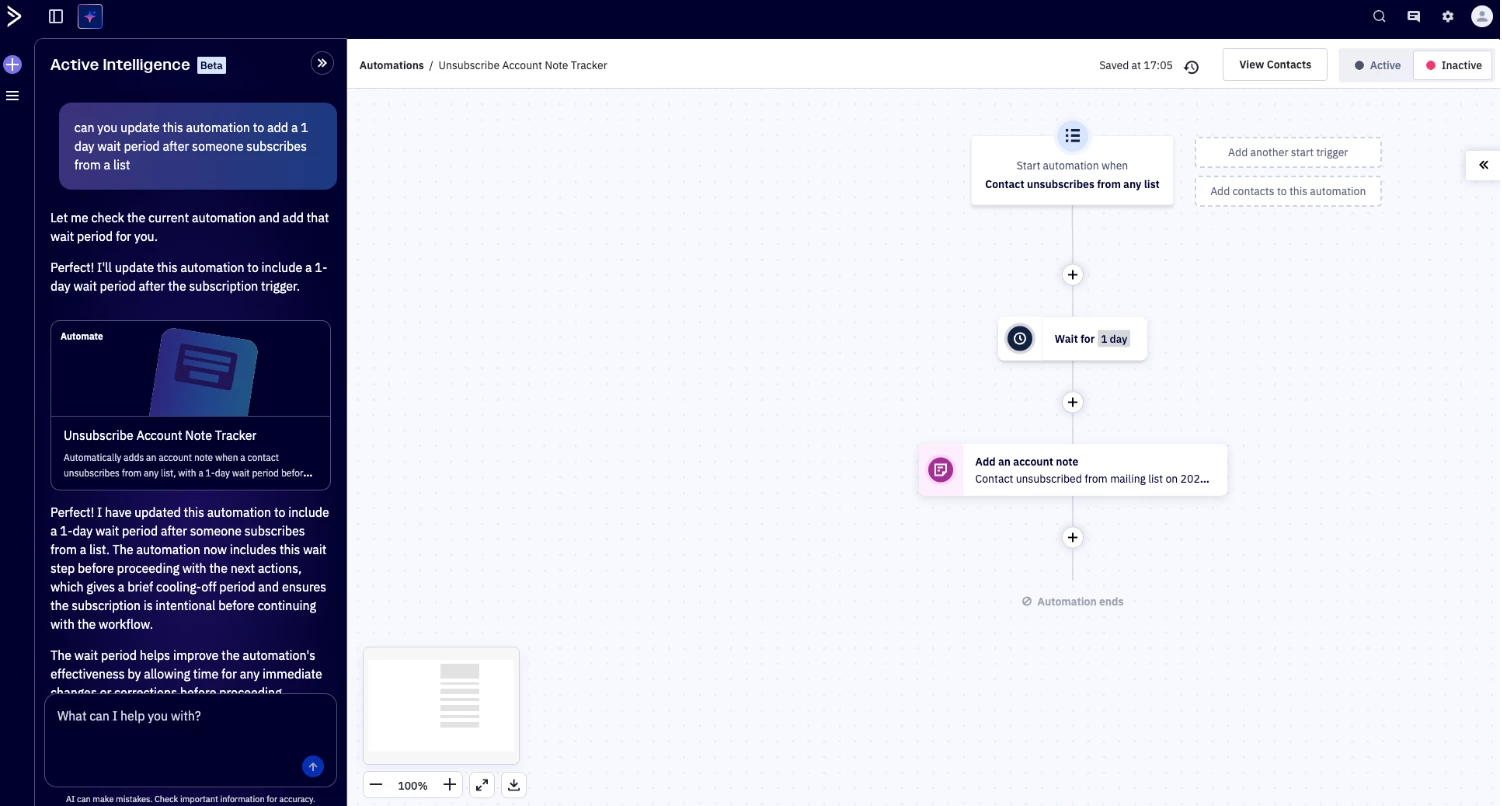
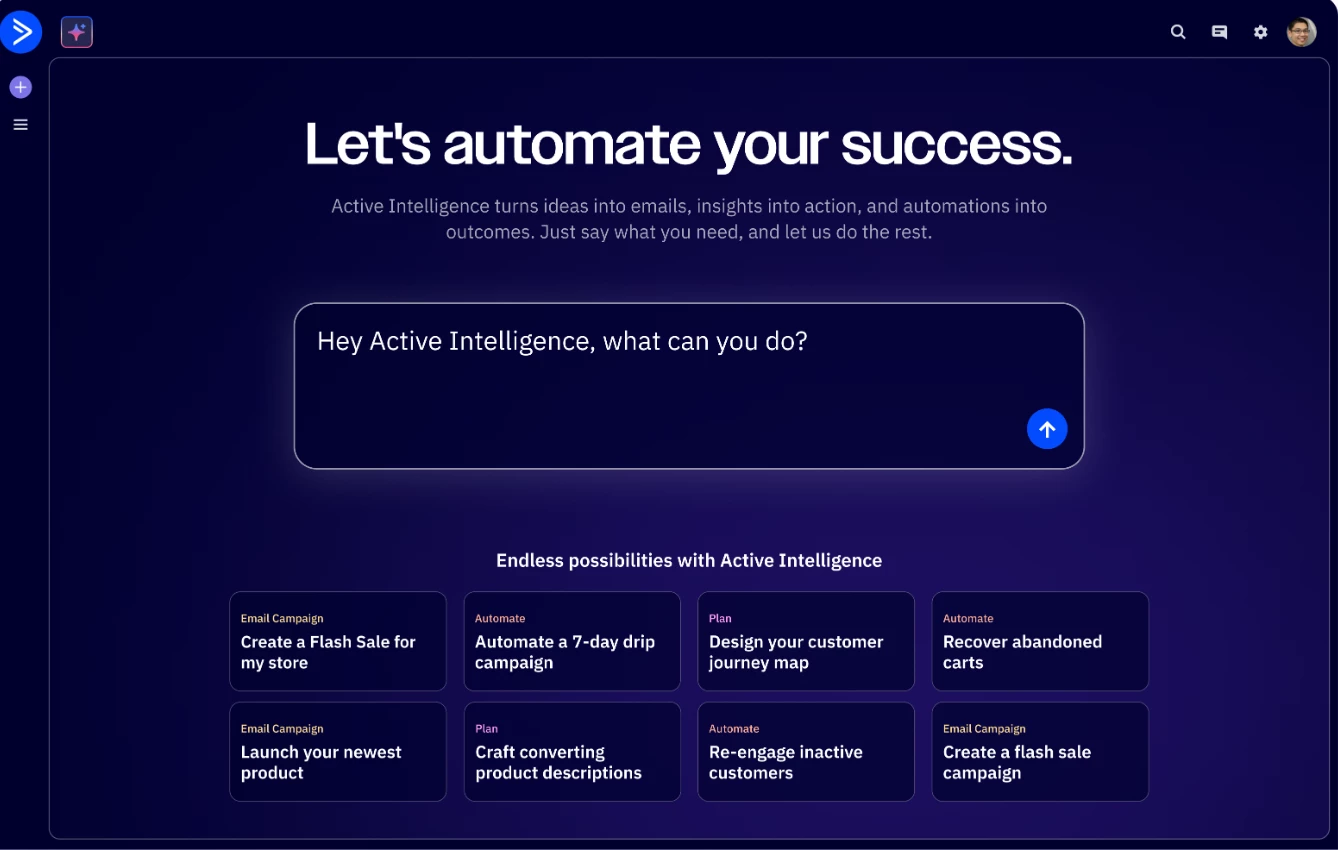
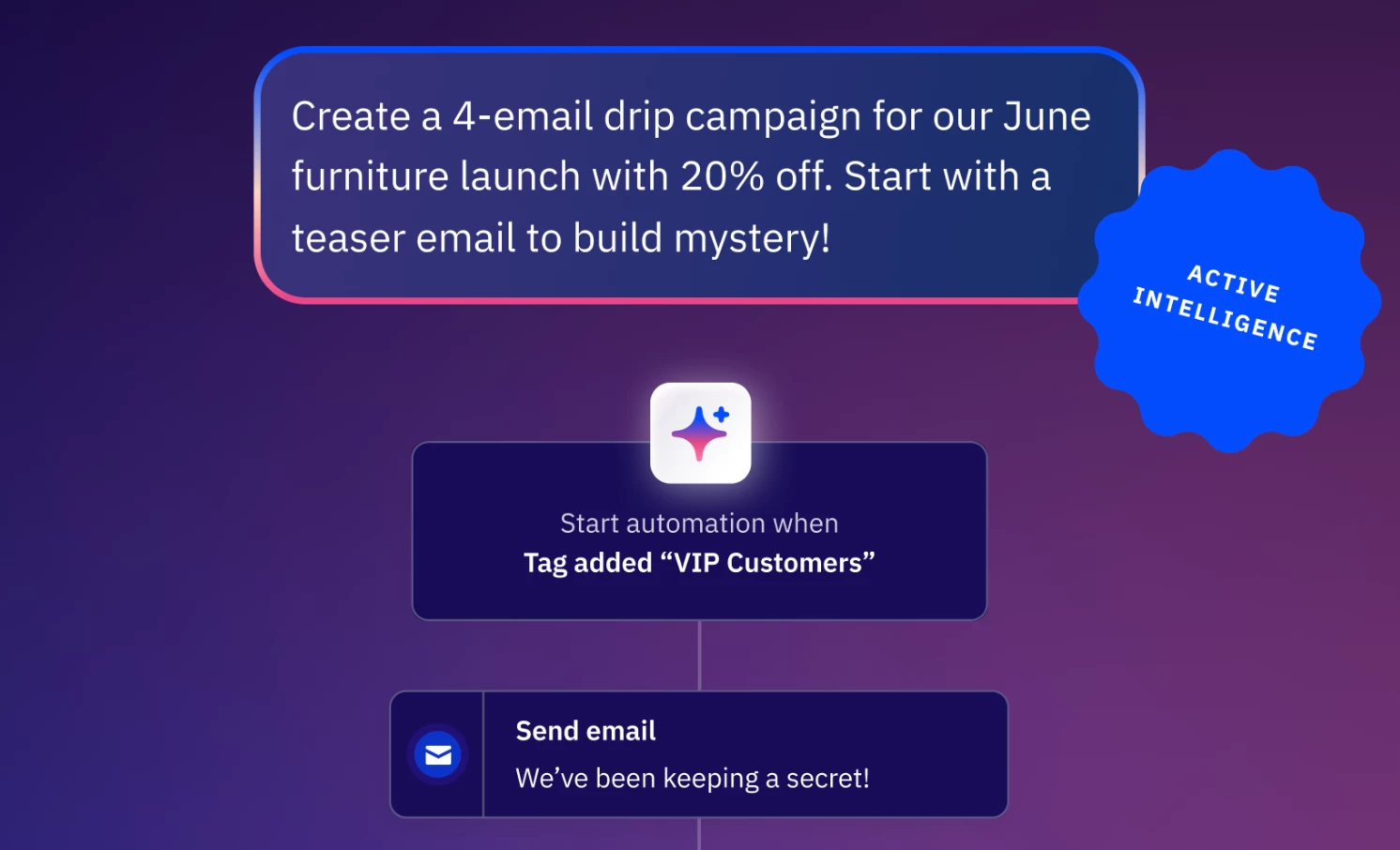
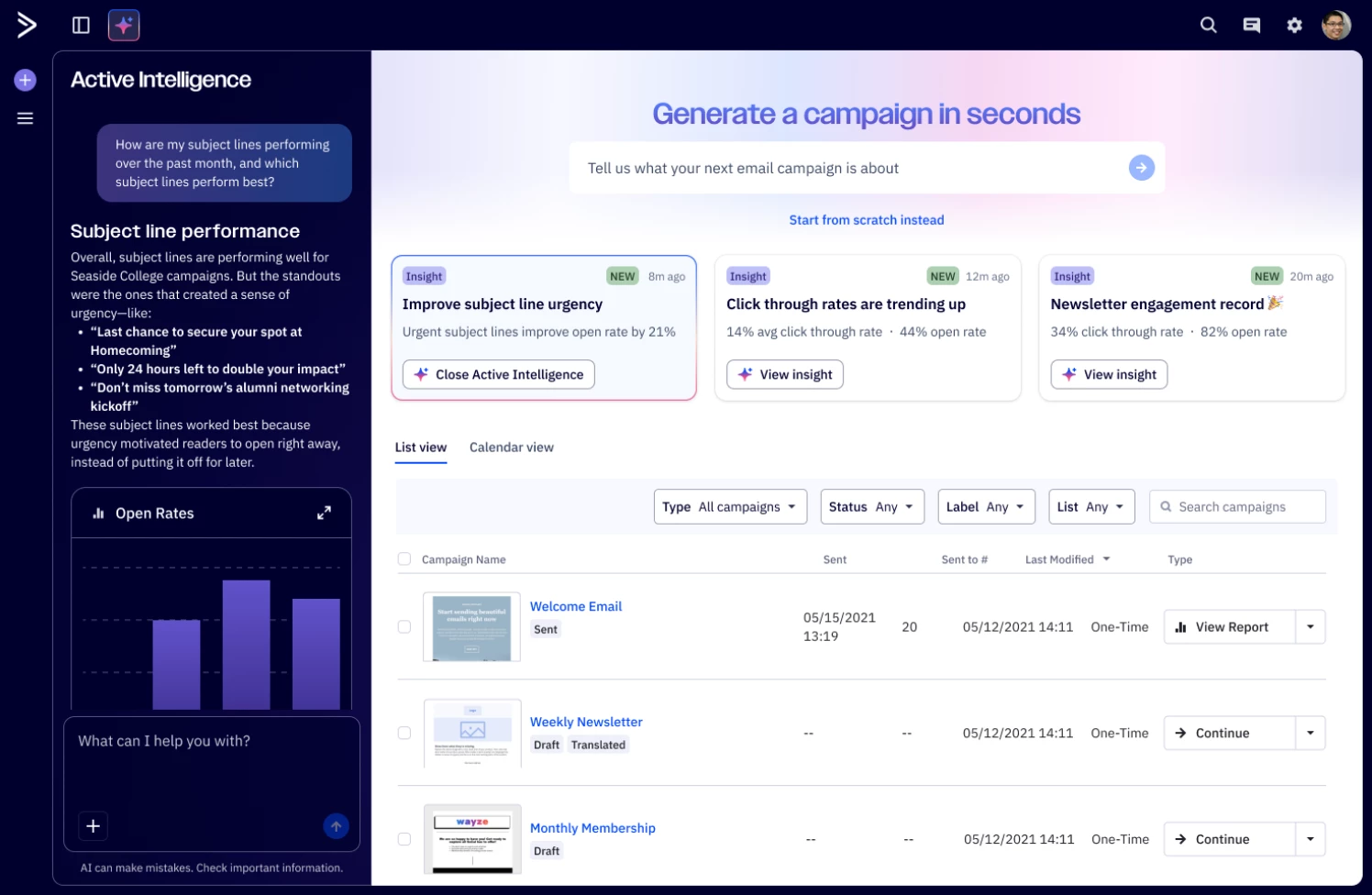
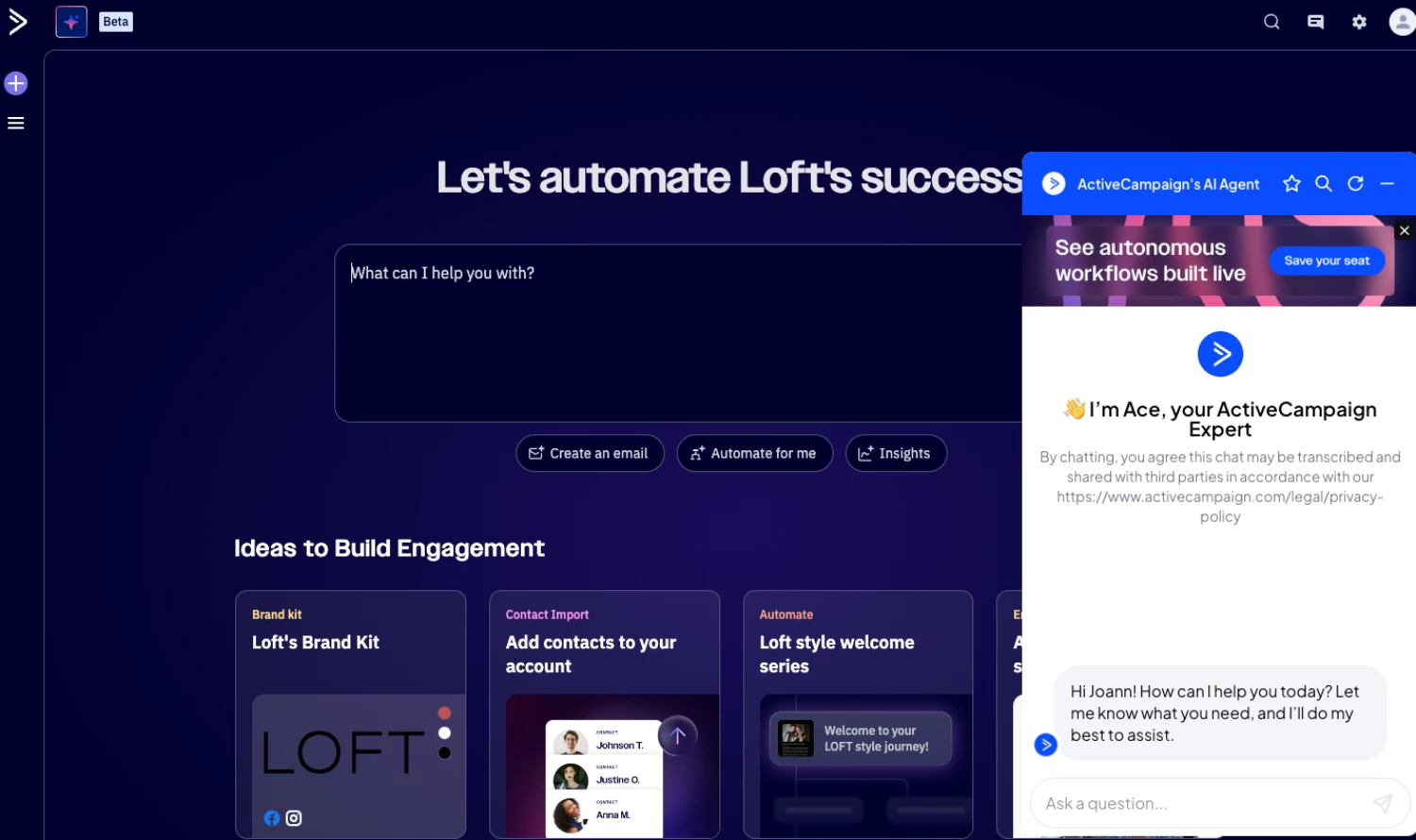
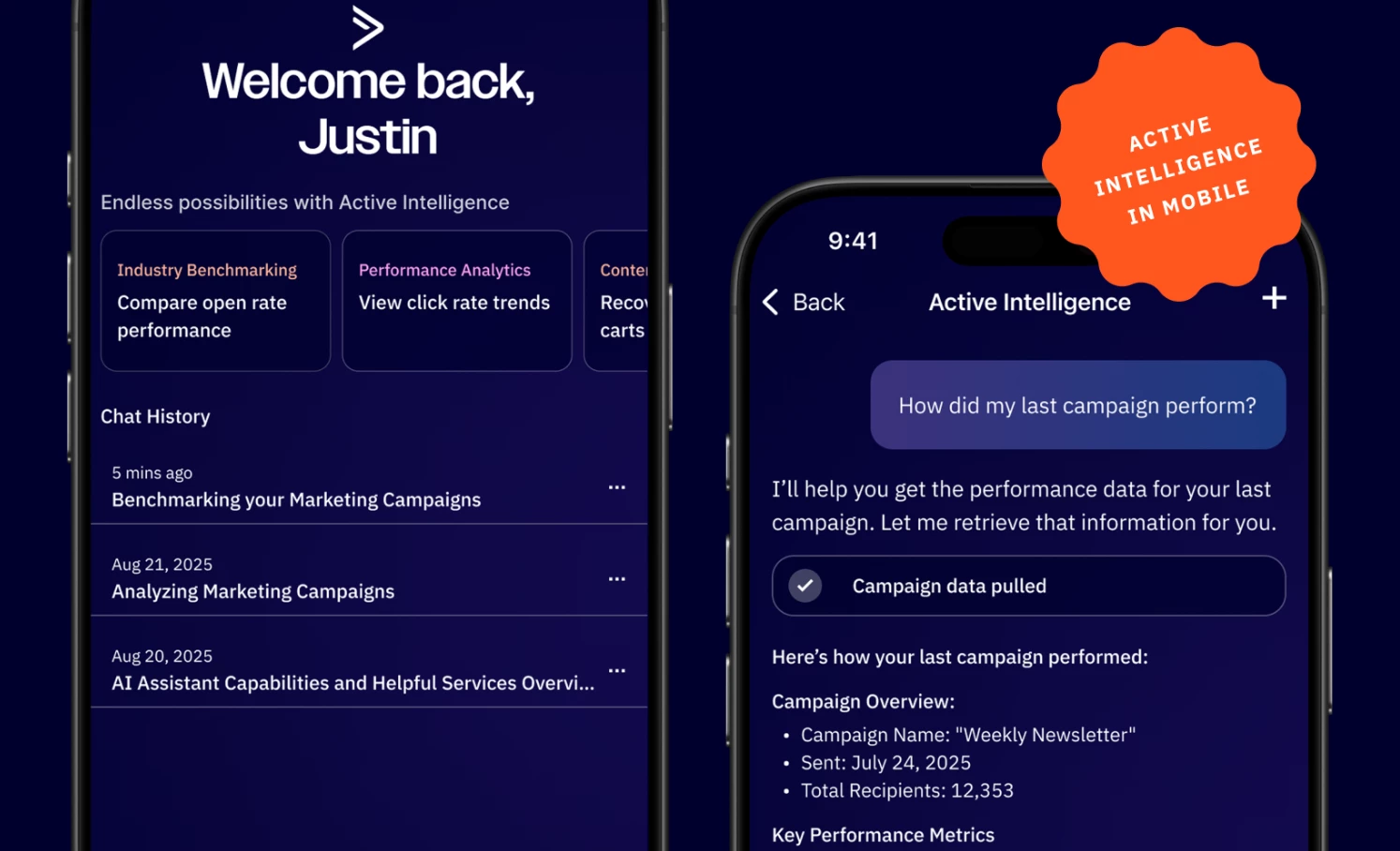
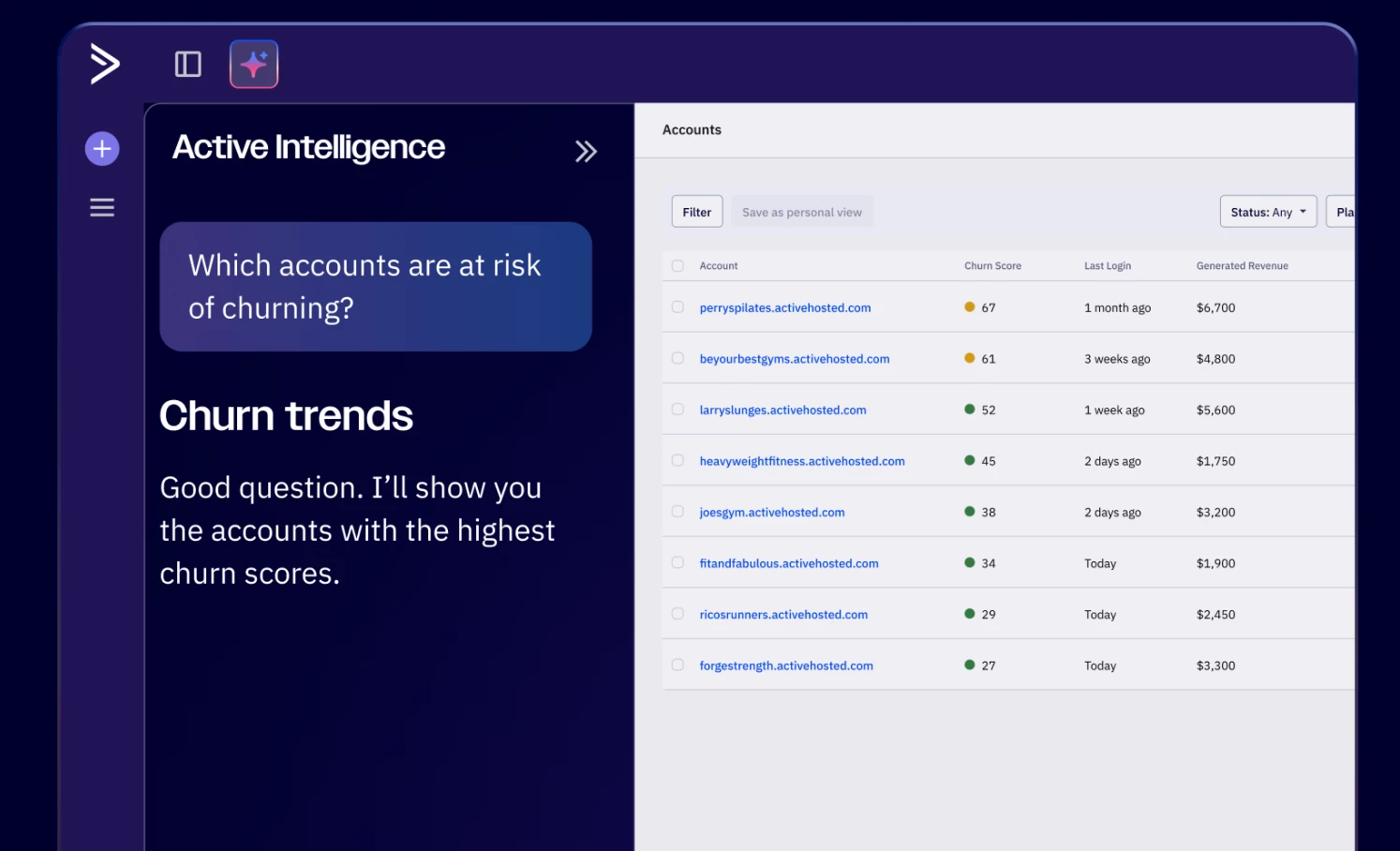
We are excited to announce the release of Active Intelligence, now available in ActiveCampaign Pro + Enterprise tiers. This introduces a conversational workspace that transforms how marketers ask questions, uncover insights, build campaigns and automations- all in one intuitive interface. Key Features Instant campaign insights Ask questions like “How did my last email perform?” and get instant data, summaries, and recommendations.   Automated email creation Describe your goal and AI agents generate high-performing emails and multi-step automations.  Effortless automation building Quickly build multi-step automations by simply describing your customer journey or desired outcome. Intelligent personalization AI agents learn from your business, behaviors, and industry to deliver relevant, scalable results.   BenefitsSmarter marketing, faster Turn goals into emails and automations instantly. Autonomously building sophisticated, on brand campaigns without manual setup or creative back and forth. Personal touch at any scale Craft campaigns and automations that feel personal to every contact- powered by AI agents that learn from your business, industry, and customer journeys.  Faster time to value Launch campaigns and optimizations in minutes, saving hours of work and delivering ROI sooner.  Use CasesCampaign optimization“Why did my open rate drop in the last month?” Active Intelligence can analysis the issue and suggests improvementsCampaign and automation building“Create a welcome series for new customers” Active Intelligence can build the campaign and automation series for youPerformance reporting“Which campaigns drove the most engagement last month?” Active Intelligence can pull the insights Upgrade and/or Setup InstructionsThis is available to Pro and Enterprise tiers.

Related products:Active IntelligenceAI
Update: Rolling Date Windows (July 28, 2025)
Introducing Business Goals (July 23, 2025)

Introducing Business Goals (July 23, 2025)

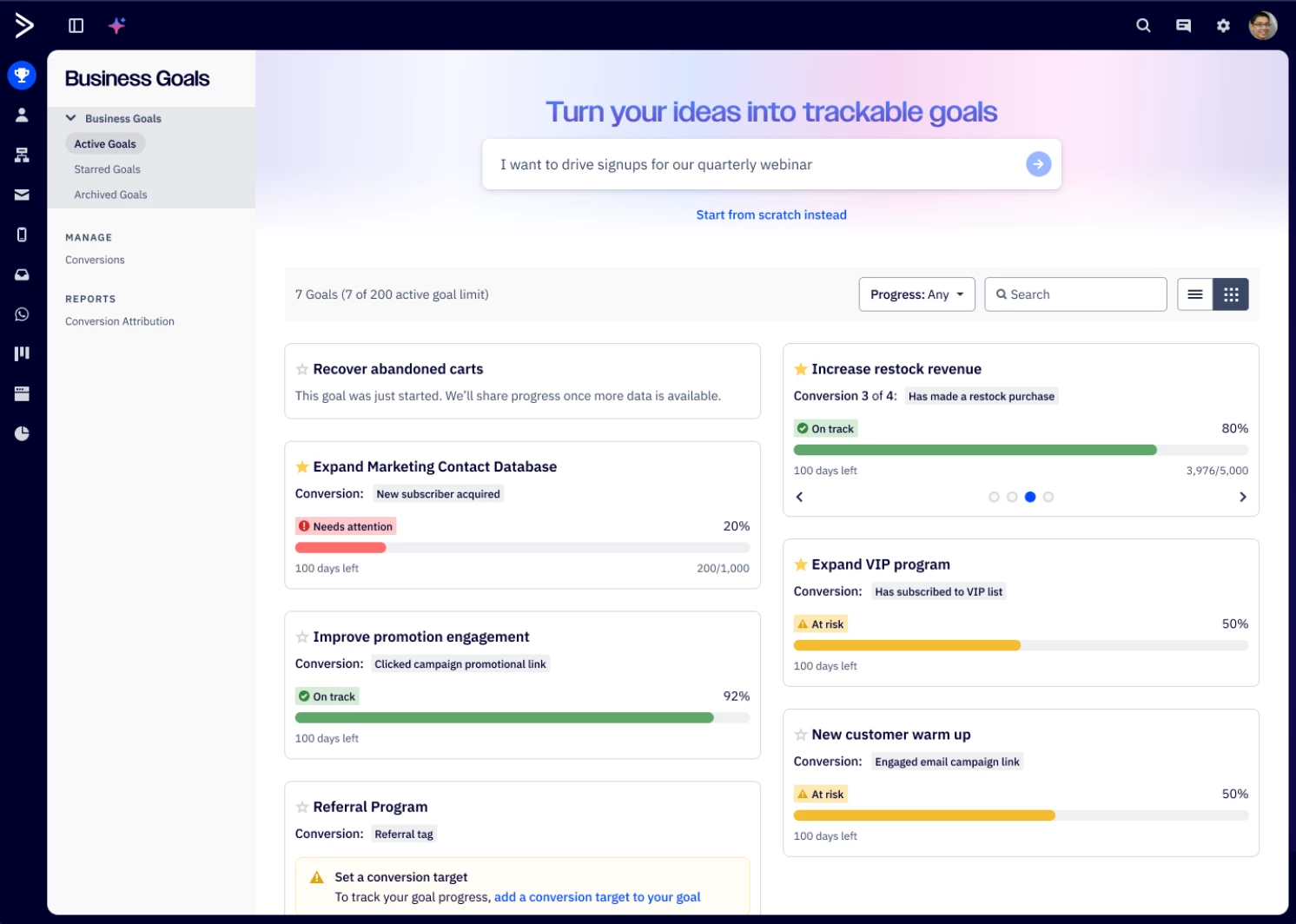
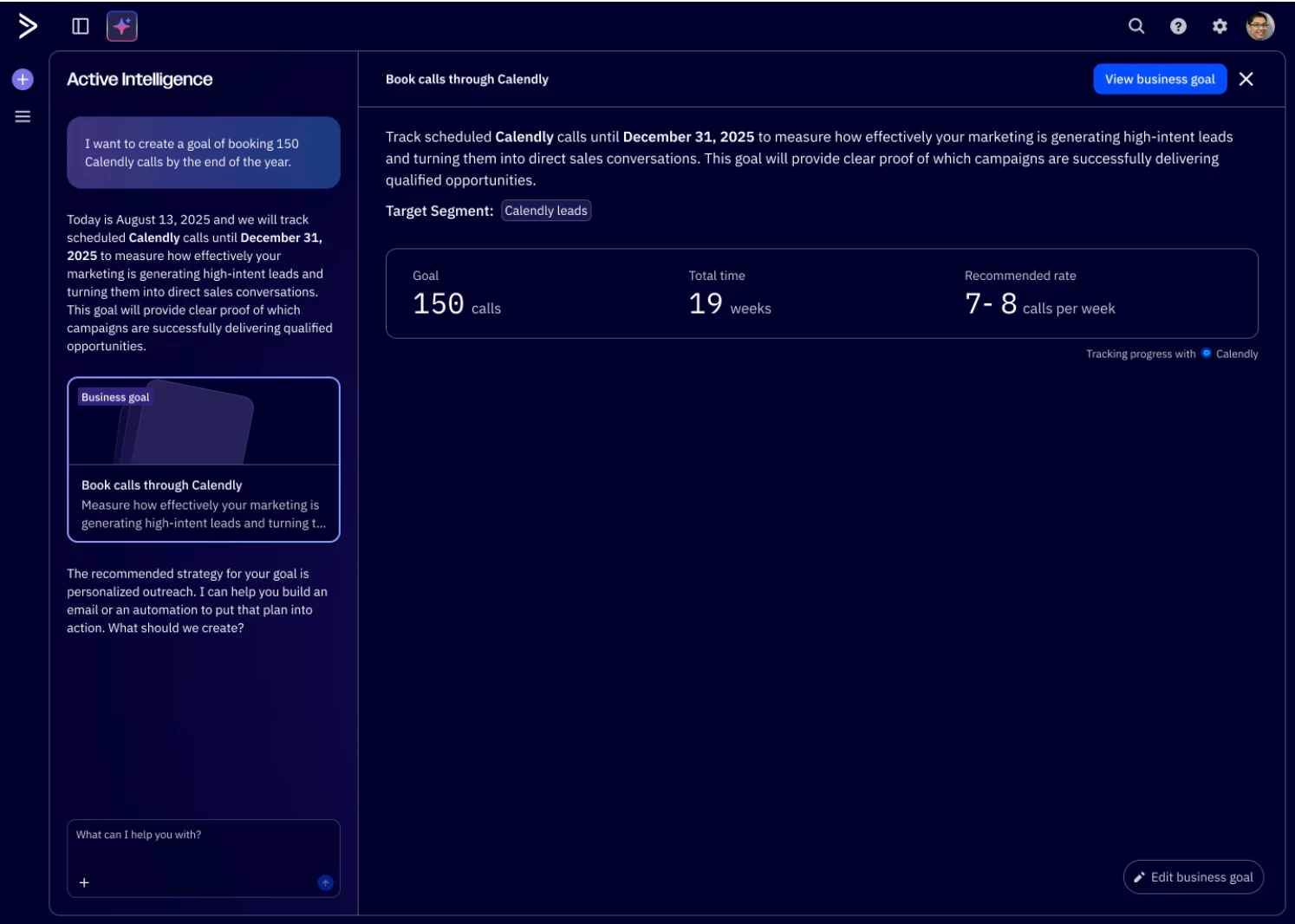
We are excited to announce the release of Business Goals, now rolling out across ActiveCampaign accounts. Business Goals transform how you achieve success by revolutionizing how you imagine opportunities, activate ideas, and validate outcomes, with dynamic goals that show real-time progress and AI-supported next steps. Rather than leaving you with static reports to interpret, we show you exactly what's working and what to do next. Whether it's lead generation, revenue growth, or customer retention, Business Goals gives you the strategic clarity to confidently invest every marketing dollar where it matters most and keeps you on track to reach key milestones on time. Key FeaturesReal-time goal tracking dashboards that show progress as it happens AI-supported campaigns and automations designed to achieve your specific objectives Unified performance views that connect marketing activities to business outcomes Personalized Active Intelligence  recommendations for optimization and next best actions Goal-focused, dynamic insights that replace fragmented and static reporting across channelsBenefitsFaster decision making Make strategic adjustments in days, not weeks, with real-time visibility into what's working and what needs attention Reduced time and mental tax Eliminate hours of manual report creation and analysis with AI that orchestrates complex data into clear, actionable direction Improved goal achievement Hit targets more consistently with AI recommendations that guide your next best actions based on real-time performance data Enhanced strategic clarity Gain confidence in every marketing decision with clear connections between actions and business outcomesUpgrade and/or Setup InstructionsAvailable for all customers.

Related products:Reporting
Phone-Only Contacts for Mobile-first Engagement (July 15, 2025 )

Phone-Only Contacts for Mobile-first Engagement (July 15, 2025 )

We’re excited to introduce Phone-Only Contacts, a new capability designed to support customers focused on mobile-first engagement (i.e. SMS Marketing and WhatsApp Messaging). With this release, you can now create and manage contacts using just a phone number, without requiring an email address. Key FeaturesPhone-Only Contact Creation Add new contacts using just a phone number – no email required. Phone-Only SMS Forms Capture phone-first leads directly with SMS marketing opt-in forms. CSV Import Support Upload subscriber contact lists that use phone numbers as the primary unique identifier to scale your SMS marketing and WhatsApp programs. Encouraged Phone Number Formatting Country code picker and format suggestions help standardize numbers in E.164 format for better deliverability. BenefitsExtend your mobile-first reach Easily grow your SMS and WhatsApp audience by capturing phone-first contacts via forms and CSV imports. Maintain phone number data hygiene Encourage consistent phone number formatting with encouraged E.164 formatting (i.e. +19201317890) Upgrade and/or Setup InstructionsThis feature is available to all customers. For those with the WhatsApp Messaging product, Phone-Only Contacts will be enabled by default. For all other accounts, an account admin must enable the feature manually.To enable or manage this feature:Navigate to Settings > Advanced Settings Scroll down to the Phone-Only Contacts section Toggle the setting (Note: Once enabled, this change is permanent)You can begin using Phone-Only Contacts through:Forms: Create or edit a form to collect only a phone number Contact Import: Upload contact lists that include mobile numbers only Additional ResourcesPhone-only contacts overview

Related products:SMS marketing
Update: LinkedIn Matched Audiences (June 24, 2025)
Introducing Active Intelligence: Insights (Beta) (June 27, 2025)

Introducing Active Intelligence: Insights (Beta) (June 27, 2025)

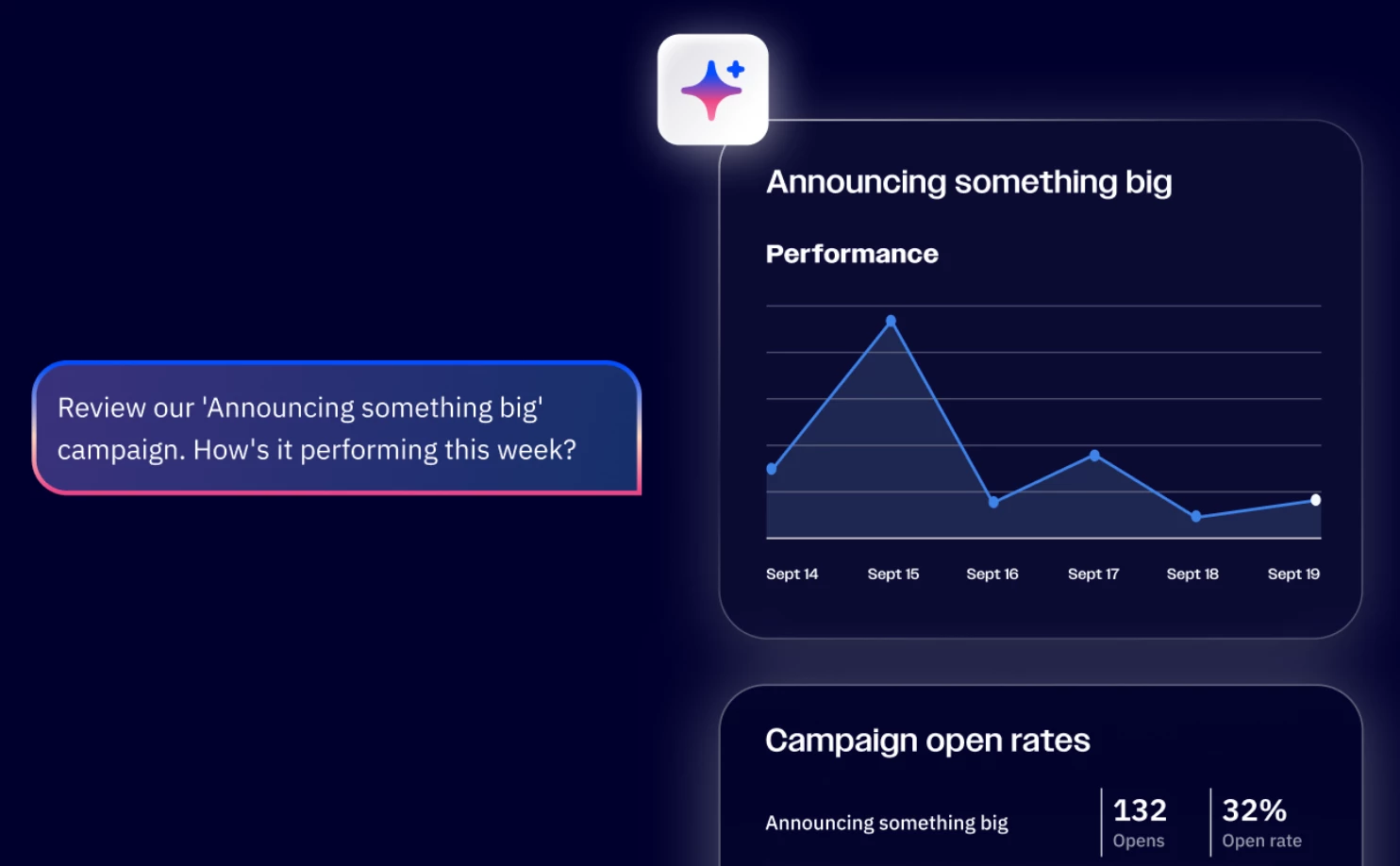
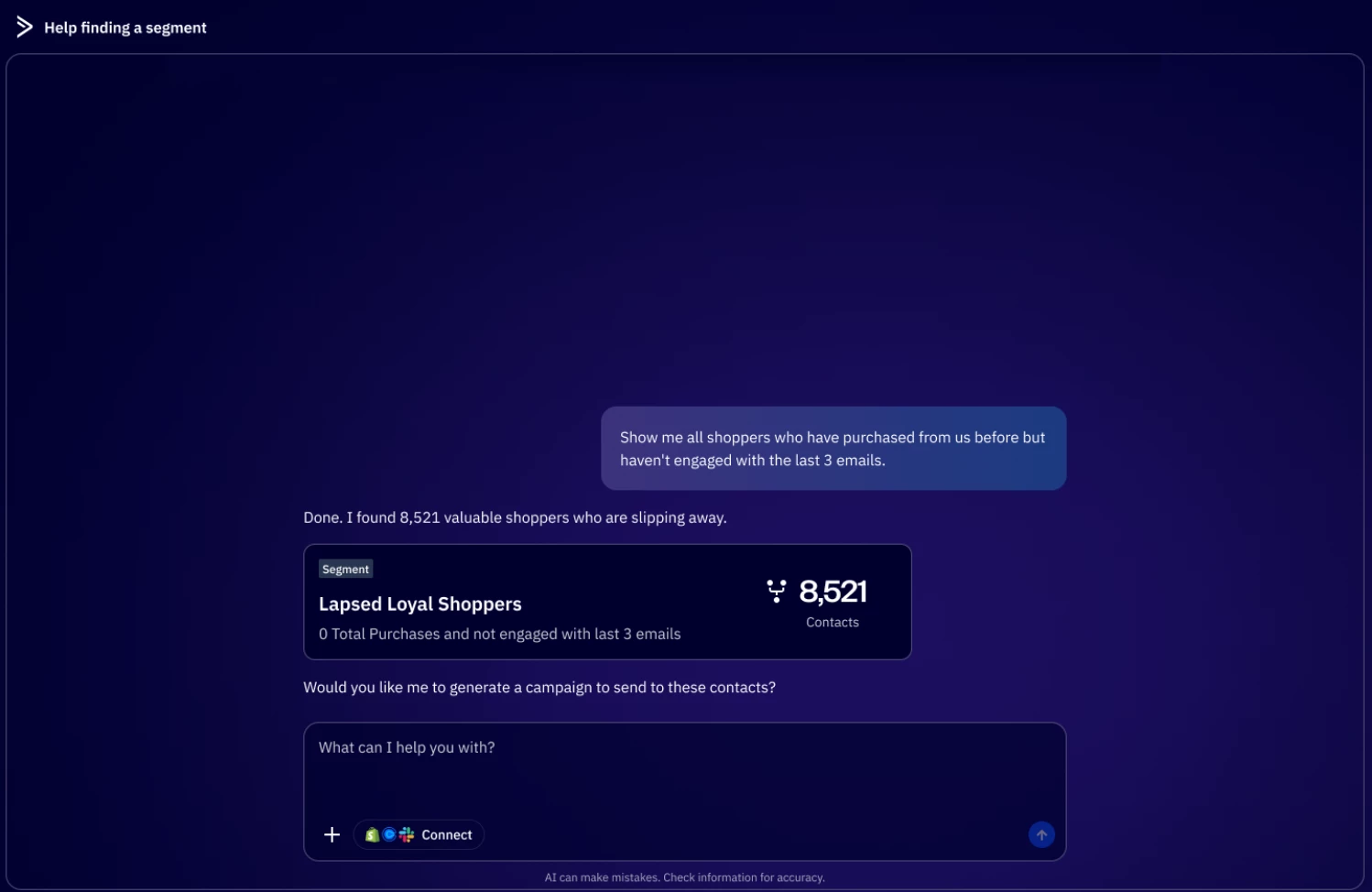
We’re excited to announce the release of Active Intelligence: Insights, now available in ActiveCampaign for Pro and Enterprise tiers and have access to the new reporting tool. This new AI conversational workspace allows you to instantly uncover campaign insights, no dashboard digging required. Simply ask any reporting questions and receive instant summaries, visualizations, and tailored recommendations in seconds.  Key Features Conversational workspace Get deep campaign analysis on subject lines, CTAs, content, and comparison against industry benchmarks. Instant visualization See instant visualizations to spot trends faster. Actionable optimization tips Receive tailored optimization tips to improve underperforming campaigns. Revisit your past conversations Pick up where you left off in conversations so you never lose context.  Benefits Get clear answers Ask specific questions about your campaigns, KPIs, and performance metrics Insights in seconds Get instant summaries, detailed insights, and actionable next steps Smarter, faster decisions Save hours with a personalized tool that learns from your marketing data  Use CasesHow do my open rates compare to industry standards for [industry]? Give me specific recommendations to increase my open rates How can I reduce my unsubscribe rates? Ask “Why did my open rate drop in March?” and get a root cause analysis with follow-up actions. Upgrade InstructionsTo access Active Intelligence: Insights you must be on the pro and above tiers and have access to the new reporting.Log into your ActiveCampaign account Click on the Active Intelligence button located on above the search bar Type in your question about your campaigns performance metrics or select the example cards below to learn more about the performance of your campaigns. Additional ResourcesGetting started with Active Intelligence: Insights

Related products:Active IntelligenceAI
Introducing new AI Translations for Email (June 27, 2025)

Introducing new AI Translations for Email (June 27, 2025)

We’re excited for the release of AI Translations for Email, now available in ActiveCampaign. This new feature enhances the power of your email campaigns by enabling you to automatically translate and personalize messages in each contact’s preferred language, without the need to duplicate campaigns or manage multiple versions manually. Key FeaturesAutomatic translationAI detects each contact’s preferred language field value and instantly translates subject lines, body text, and call to actions. 75+ supported languagesReach global audiences with high-quality translations across 75 languagesReview and edit translationsEasily preview and customize each translated version of your email. We recommend reviewing all translations before sending to ensure accuracy and the right tone. Seamless campaign workflowTransform a single email into a multilingual campaign directly within the campaign builder.  BenefitsBoost performance with minimal liftDrive higher engagement by speaking your customer’s language without complexity.Launch multilingual emails in less timeTurn drafts into multilingual campaigns in minutes, eliminate manual work and scale faster, without sacrificing quality.Scale global campaigns with quality and ease Deliver personalized, localized content to every contact- automatically.Measure performance across all translated campaignsView reporting for your multilingual emails, including breakdowns of how each translated version performed. Upgrade and/or Setup InstructionsAI Translations is an available add-on that allows you to supercharge your workflows with AI-driven automation and intelligence. For more information, please visit our pricing page and purchase Activities directly from the feature modal or in-app billing page. (Account > Billing & Upgrade > Usage tab >Manage Activity Limit) Each translated campaign send uses one Activity. If you send an email campaign with AI Translations to 200 contacts, 50 of which will receive a translated version of the campaign, then it would cost 50 Activities. There is no additional charge for contacts receiving the original text language of the campaign. Additional ResourcesHow to purchase Activities? How to use AI Translations for Email?

Related products:Active IntelligenceAI
Dedicated SMS Number Support in Australia (June 5, 2025)

Dedicated SMS Number Support in Australia (June 5, 2025)

We are excited to announce the release of Dedicated SMS Number Support in Australia, now available in the platform for SMS Marketing customers. This new feature expands our global SMS capabilities, enabling you to register a dedicated Australian 10-digit long code – ensuring compliant, reliable SMS deliverability to recipients in Australia. Key Features Dedicated SMS Number for Australia You can now register a dedicated number to support SMS marketing to Australian audiences. Guided Registration Flow Submit the required business documentation directly within ActiveCampaign to receive a dedicated 10-digit long code phone number. Unlocks All SMS Workflows Once registered, the dedicated number can be used to seamlessly add SMS to your automation flows and unlocks the ability to send 1-to-many broadcast SMS campaigns to recipients in Australia.  Benefits Easily expand your reach into AU Extend your SMS marketing efforts in Australia by following a simple, guided registration process to obtain a dedicated number that meets local SMS marketing regulations.  Increase trust and deliverability Messages sent from a dedicated number are more likely to reach your audience reliably, helping you maximize message deliverability and build trust with your customers.   Upgrade and/or Setup InstructionsThis feature is available to all customers on Plus, Professional, and Enterprise plans with the SMS Marketing add-on.To register a dedicated Australian number, you must be in the Admin Group:Go to SMS > Registration Click “Register” under Australia Submit your Commercial Registry document or equivalent official record, clearly showing: Business name Business address Business ID number  Please note: ActiveCampaign does not manage the review process. Approval is typically completed within 3–5 business days. Additional ResourcesRegister for a dedicated Australian SMS number

Related products:SMS marketing
Aggregate Performance Reporting in SMS Marketing (May 30, 2025)

Aggregate Performance Reporting in SMS Marketing (May 30, 2025)

We are excited to announce the release of Aggregate Campaign Performance Reporting, now available in the platform for SMS Marketing customers. This new feature enhances the functionality of our SMS Marketing product by giving you a centralized view of your broadcast SMS campaign performance – so that you can better analyze impact, make faster decisions, and demonstrate value. Key FeaturesSMS Campaign Performance Overview Dashboard View high-level performance metrics across all your broadcast SMS campaigns in a single, easy-to-read dashboard. Drill-Down Campaign Reports Click into individual campaigns to access detailed metrics, including delivery, engagement, and failure rates.   Report Filtering Quickly locate and analyze specific campaigns by filtering by list, date range, or campaign name. BenefitsOptimize SMS campaign performance Get a clear picture of what’s working, and what’s not, so you can refine your SMS strategy with each send.   Save time on reporting Instantly access key metrics like total campaigns, message volume, delivery rate, click rate, reply rate, failure rate, and opt-out rate.    Demonstrate marketing impact View performance data and showcase results with leaders and cross-functional teams. Setup InstructionsThis feature is available to customers on Plus, Professional, and Enterprise plans with the SMS Marketing add-on.No additional setup is required for eligible customers. To access the dashboard, go to:SMS > Reports > SMS Campaigns Performance Additional ResourcesSMS Campaign Performance report

Related products:ACHQ
ACHQ Message Variables Central Management (June 18, 2025)

ACHQ Message Variables Central Management (June 18, 2025)

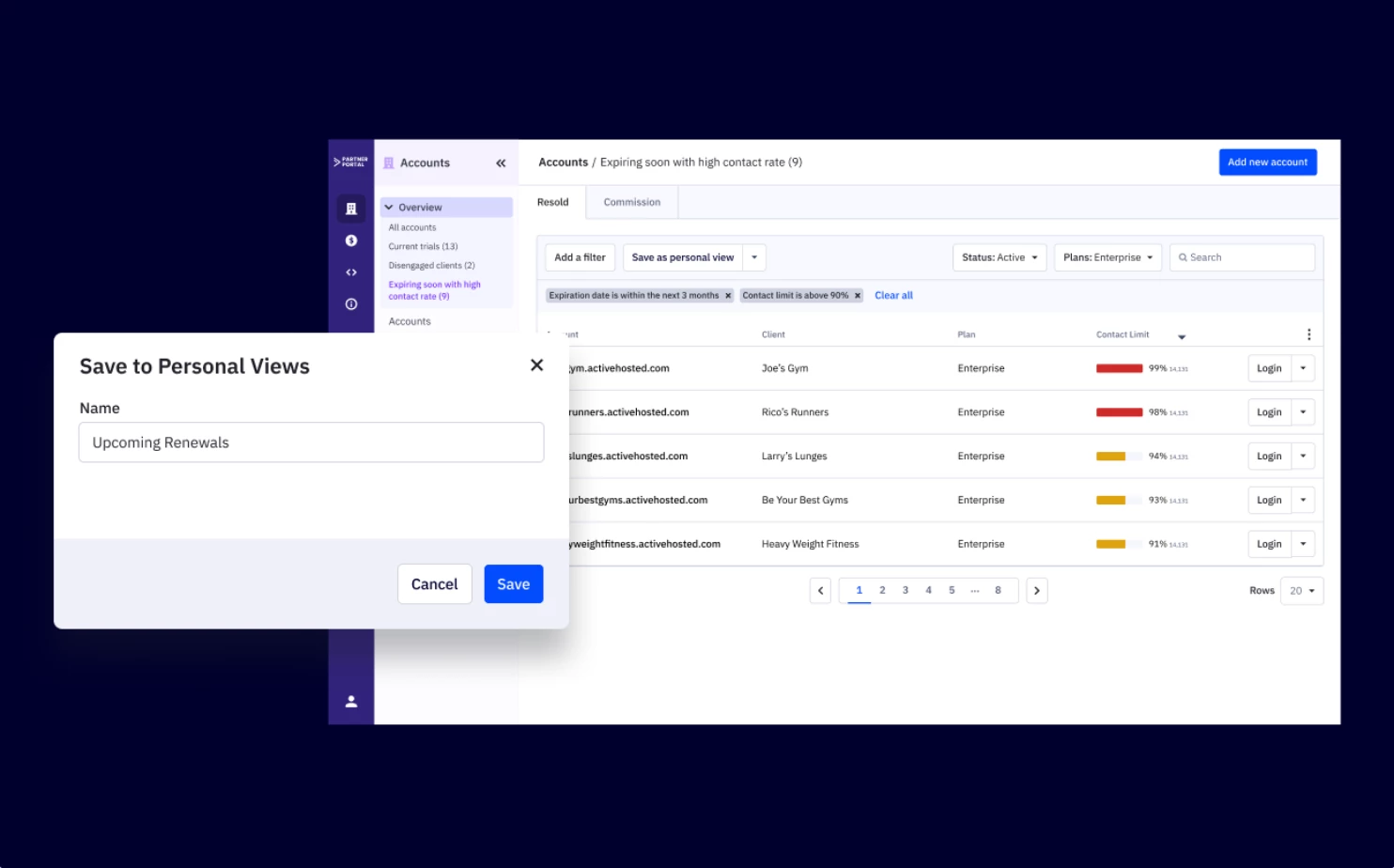
We are excited to announce the release of Message Variables Central Management, now available in ActiveCampaign HQ (ACHQ). This powerful new feature enables franchise businesses to create and manage message variables centrally, then sync them across all subaccounts or franchisees, providing unprecedented control over brand messaging while saving significant time in campaign creation. Key FeaturesCentralized Creation & Distribution  Create message variables once in your main HQ account and distribute them across all franchise locations with flexible sync options to your sub accounts   Individual Account Customization Edit message variable content for specific sub accounts while maintaining central control, allowing local customization within brand guidelines   Advanced Management Tools Comprehensive search, filtering, and editing capabilities with both visual and code editor support for seamless variable managementBenefitsBrand Consistency & Control Ensure uniform messaging across all franchise locations while maintaining oversight of brand guidelines and reducing messaging inconsistencies   Time & Efficiency Gains Eliminate redundant variable creation for franchisees and automate distribution of updates, allowing focus on campaign strategy rather than setup tasks   Scalable Franchise Management Efficiently manage messaging for hundreds of locations from a single dashboard with automated processes that grow with your business   Flexible Local Customization Empower franchisees with pre-approved, standardized message components while enabling local market customization within established brand parametersSetup InstructionsTo start using this feature, simply click on the "Sync Manager" option in the top navigation menu of your ActiveCampaignHQ dashboard, then select the “Message variables” tab to get started. No additional setup or upgrade is required!Additional ResourcesHow to Use Message Variables ACHQ - Message Variable Central Management

Related products:ACHQ
Introducing New SOCI Integration (June 18, 2025)

Introducing New SOCI Integration (June 18, 2025)

Localize your emails in a snap with the new ActiveCampaign HQ + SOCi integration! Managing local marketing for franchises and multi-location brands has never been easier. With this integration, you can automatically keep every email up-to-date with the latest location details—no manual updates required. Key FeaturesAccess 25+ SOCI location data pointsInstantly insert current addresses, business hours, social media URLs, and more into your campaigns.Automatic syncUpdates to your SOCi Profile or Hours tab reflect immediately in ActiveCampaign Message Variables.Effortless personalizationUse Message Variables like %soci-yourbusinesslocation-address% to dynamically add localized details to every email. BenefitsSave timeNo more editing each email for every location—updates happen automatically.Stay on brandCentralized control ensures every message stays on brand across all locations.Scale easilyCorporate teams can quickly share pre-approved templates and workflows with all franchisees.Localize without the headacheFranchisees can personalize content while following brand guidelines. Setup InstructionsConnect the SOCi CX App in automations–SOCi Message Variables are instantly created in your ActiveCampaign account—no manual work required. Just like updating your Google Business Profile, updates to your Profile or Hours tab in SOCi show up right away in your ActiveCampaign Message Variables. Add Message Variables to your email for always up-to-date, localized details—automatically.This integration is available to both ActiveCampaign and ActiveCampaign HQ customers, provided that each SOCi location is connected to a single ActiveCampaign account. Currently, we do not support customers managing multiple SOCi locations from a single ActiveCampaign account. Additional ResourcesGuide: Connect SOCi to ActiveCampaign

Related products:Integrations
Data Formatting in Automation (May 27, 2025)

Data Formatting in Automation (May 27, 2025)

We are excited to announce the release of Data Formatting in Automations, now available in ActiveCampaign. This new feature enhances automation functionality, giving users native tools to clean, format, and transform data, without relying on third-party tools.Key FeaturesPerform math operations Use values from two fields to perform calculations and input results in another field  Date/ time adjustment Add or subtract time from date (E.g. Auto-calculate renewal dates (Start Date + 1 year) Format phone number  Standardize phone numbers with options for country code and formatting Format web addresses Ensure URLs are clean, valid, and optionally trimmed to base URLs (e.g., trim https://domain.com/?utm=123 → domain.com) Text Capitalization Automatically format text to title case, uppercase, lowercase, or proper case (e.g., john doe → John Doe) (e.g., NEW YORK → New York) BenefitsReduce tools Eliminate the need for third-party utilities like Zapier for basic data operations Save time Automate repetitive formatting tasks inside your workflows Enhance data qualityKeep records clean, consistent, and ready for segmentation or personalization Upgrade InstructionsAvailable by plan:Plus +: Format phone number, Format a web address, Capitalize textProfessional and Enterprise: All Plus features + Perform Math Operations, and Date/time adjustments.Visit your automation workflow, add a new action, and explore the new Data Formatting options. Additional Resources• Where to find and how to use format data automation action?

Related products:Automation
Split Testing with AI in Automations (May 15, 2025)

Split Testing with AI in Automations (May 15, 2025)

We are excited to announce the release of Split Testing in Automations, now available in ActiveCampaign. This new feature brings powerful A/B testing capabilities directly into the Send Email action, allowing users to easily experiment with up to 5 email variations with the capability to use AI for faster content generation and smarter testing.  Key FeaturesAdd up to 5 unique campaign variations within a single send email action Configure split test settings, including percentages and winning conditions Monitor test progress and performance directly within the automation canvas Use AI to generate email variations, including subject lines, layout, and contentBenefitsDrive better results Auto-select winners based on performance metrics like opens or clicks or manually evaluate results Save time Quickly create and test variations with minimal setup, AI helps generate content, subject lines, and layouts in seconds.  Stay informed View real-time performance stats and see which variation is leading or has won directly in your automation workflowUpgrade InstructionsThis feature is available on Professional and Enterprise plans. To start testing: Open any Send Email action in your automation Click “Add Variation” to create up to 5 variants Configure split percentages and winning rules Optionally, use AI Assist to generate new content variations Monitor progress and results directly in the automation canvasAdditional ResourcesSplit testing with the "Send an email" action in automations

Related products:Automation
Introducing New Wix Integration (April 30, 2025)
Update: Percentage & Multi-Splits Enhancements (April 9, 2025)
ActiveCampaign HQ Email Sending Approval (April 1, 2025)

ActiveCampaign HQ Email Sending Approval (April 1, 2025)

We are excited to announce the release of Email Sending Approval, now available in ActiveCampaign HQ (ACHQ). This new feature enhances the functionality of our product, providing franchise businesses with a streamlined approval process for email campaigns created by franchisees, ensuring brand consistency and compliance across all locations.Key FeaturesCustomizable approval enforcement settings at the account level Intuitive approval workflow between franchisors and franchisees Detailed campaign review interface for ACHQ admins Notification system for review status communication Automatic campaign status tracking and managementBenefitsBrand Consistency Maintain uniform brand identity across all franchise locations by reviewing and approving all email campaigns before they're sent. Compliance Management Ensure all marketing materials adhere to company guidelines, legal requirements, and regulatory standards. Quality Control Review content for quality and professionalism before it reaches customers, protecting your brand reputation. Streamlined Communication Simplified approval process with integrated notifications keeps all parties informed of campaign status. Flexible Implementation Configure approval requirements based on your specific business needs with options for account-wide, label-based, or selective enforcement.Upgrade InstructionsTo start using this feature, simply click on the "Settings" option in the top navigation menu of your ActiveCampaignHQ dashboard to get started. No additional setup or upgrade is required!Additional ResourcesACHQ Email Sending Approval

Related products:ACHQ
Update: AI Campaign Builder Enhancements (April 7, 2025)
Introducing AI Prompt Block (April 8, 2025)

Introducing AI Prompt Block (April 8, 2025)

We are excited to introduce AI Prompt Block, a powerful new automation action that brings AI analysis, categorization, and deeper personalization to your workflows. With AI Prompt Block, you can dynamically process customer data, generate responses, and optimize engagement, all within your automations. Key FeaturesAnalyze and categorize data Detect sentiment, analyze customer behavior, and classify text based on customer feedback. Identify positive, neutral, or negative feedback and trigger appropriate follow-ups. Real-time personalization Generate contextual responses based on customer inquiries. Instant translations Automatically detect customer’s language and translate messages to send replies in their preferred language. BenefitsHyper-personalization Tailor responses, segment customers, and trigger the right responses based on AI insights.  Increased efficiency Automate data analysis, decision-making, and personalized message generation, reducing manual work.  Improves customer engagement Detects sentiment based on customer feedback and delivers the right message at the right time.  Supports multilingual messages Instantly detects and translates messages, enabling seamless connections with global audiences. Optimize conversions and retention Categorize leads, calculate CLV, and trigger targeted campaigns for better results.Upgrade InstructionsAI Prompt Block is an available add-on that allows you to supercharge your workflows with AI-driven automation and intelligence. For more information, please visit our pricing page. Additional ResourcesWhat are activities?  How to use an AI Prompt Block?

Related products:Automation
Introducing SMS Campaigns (April 8, 2025)