
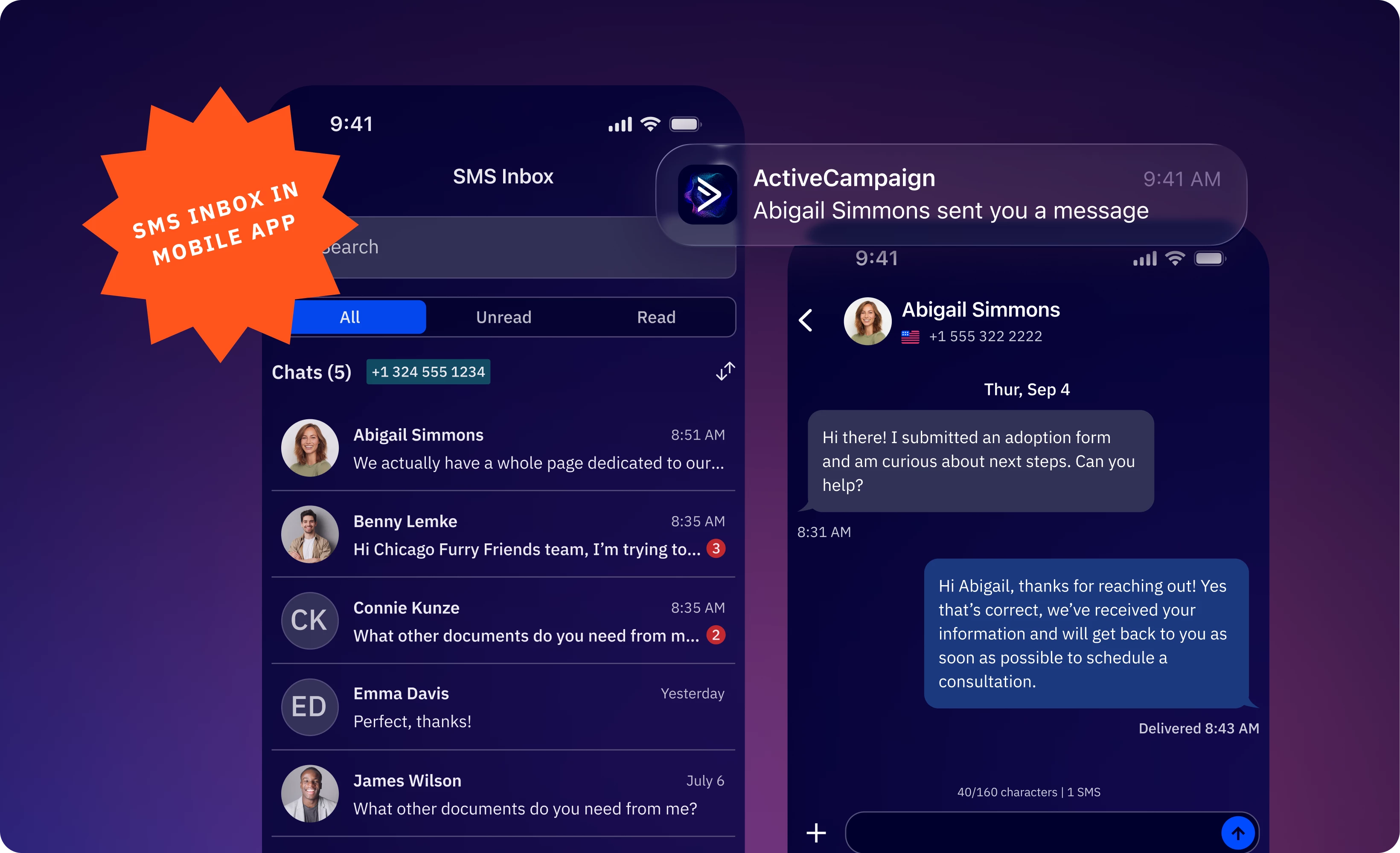


We're excited to announce that the SMS Inbox is now available on the ActiveCampaign mobile app. Respond to customer SMS replies in real time – wherever you are. Never miss a moment to connect, nurture prospects, and close deals through instant, personal conversations, even when you're away from your desk.
Key Features
- Centralized Mobile Inbox: View, manage, and reply to all SMS conversations from your phone with conversation threading, read/unread filtering, and search functionality.
- Push Notifications: Get instant alerts when contacts reply to your SMS campaigns or automations, so you can respond while the conversation is still warm.
- Contact Profile Pane: View contact information, tags, lists, and automations they're part of directly in the inbox to better personalize your responses.
Benefits
- Never miss a moment to connect with your customers: Push notifications alert you the instant a contact replies, so you can respond while the opportunity is still warm, whether you're between meetings, at a job site, or away from your desk.
- Manage conversations from anywhere: Access the full SMS Inbox experience on mobile to move conversations forward directly from your phone.
Setup Instructions
This feature is available to customers on Plus, Professional, and Enterprise plans with the SMS Marketing add-on who have a registered, dedicated phone number in the United States, United Kingdom, or Australia.
If you already have a registered, dedicated number, SMS Inbox is automatically enabled on your mobile app. To access the inbox, tap the Inbox icon in the ActiveCampaign mobile app.
Mobile inbox access is limited to Admin users by default. You can grant SMS Inbox access to your team on the web application:
- Navigate to Settings > Users & Groups
- Select the group you want to grant access to (e.g., "Customer Service Team")
- Open the Permissions tab
- In the SMS section, check the "SMS Two-Way Inbox" permission checkbox
- Save your changes
Group members will receive an email notification with a link to access the SMS Inbox. Once enabled, team members will see the SMS Inbox available in their navigation menu and mobile app.
Additional Resources