
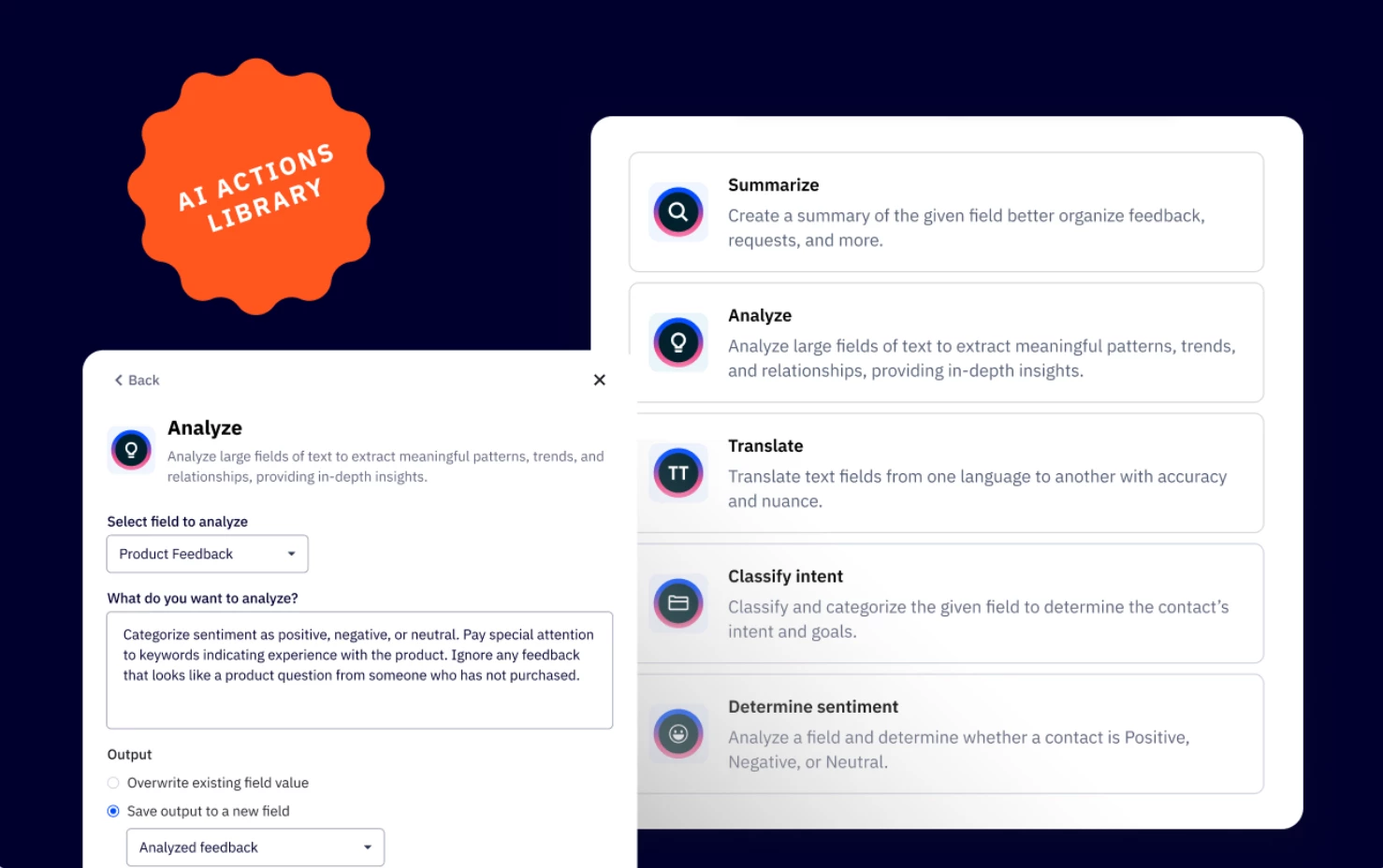


We are excited to announce the release of the AI Actions Library, now available in Automations. This feature, formerly known as the AI Prompt Block, introduces a powerful way to automate marketing tasks using AI. Leverage pre-built AI Actions to write email content based on contact behavior, and tag or update contact fields to deliver hyper-personalized messages based on customer behavior or responses.
Key Features
- Explore ready to use AI actions
Access a library of AI Actions within the automation builder - Analyze and categorize data
Detect sentiment, analyze customer behavior, and classify text based on customer feedback. Identify positive, neutral, or negative feedback and trigger appropriate follow-ups. - Real-time personalization
Generate contextual responses based on customer inquiries. - Instant translations
Automatically detect customer’s language and translate messages to send replies in their preferred language.
Benefits
- Hyper-personalization
Tailor responses, segment customers, and trigger the right responses based on AI insights. - Increased efficiency
Automate data analysis, decision-making, and personalized message generation, reducing manual work. - Improves customer engagement
Detects sentiment based on customer feedback and delivers the right message at the right time.
Upgrade and/or Setup Instructions
AI Actions Library is available as an add-on that allows you to supercharge your workflows with AI-driven automation and intelligence. To purchase, you will have to be an admin to your ActiveCampaign account.
- Click your name on the bottom left of your screen.
- Click the "Billing & Upgrade" option in the modal window.
- Under the “Your Plan” tab, click “Edit” where it says “X Activities.”
- A modal window will appear. Use the dropdown to select your activity limit.
- The modal will show you the additional cost you will be charged each month. Click the “Review purchase” button.
- Click “Confirm purchase.”