
Does your business operate in both English and Spanish speaking countries?
If so, you may like these tips! 💡
Here are 3 methods that have worked for some of our other customers to create messages personalized based on language.
Start by creating a custom field called language (dropdown) and base personalizations on that custom field.
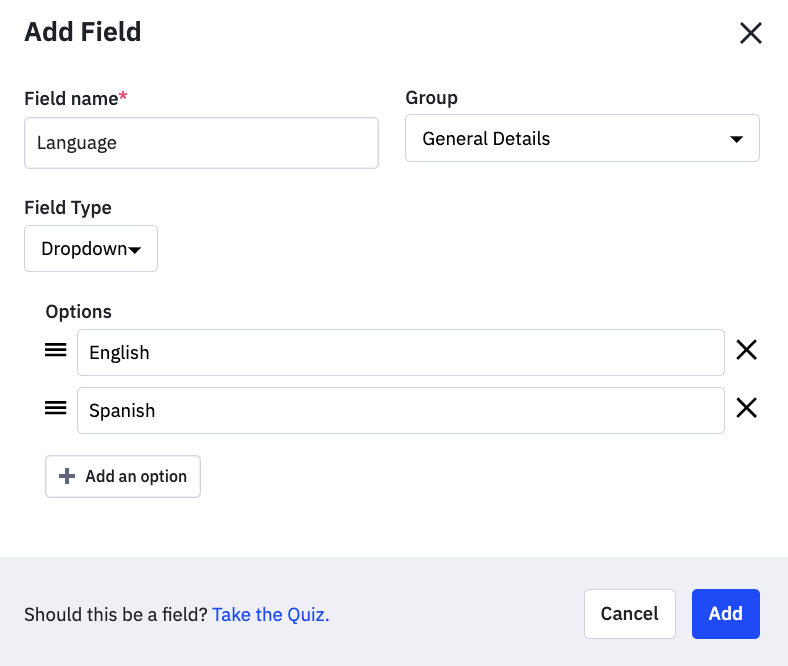
Method 1: Conditional content based on that custom field.
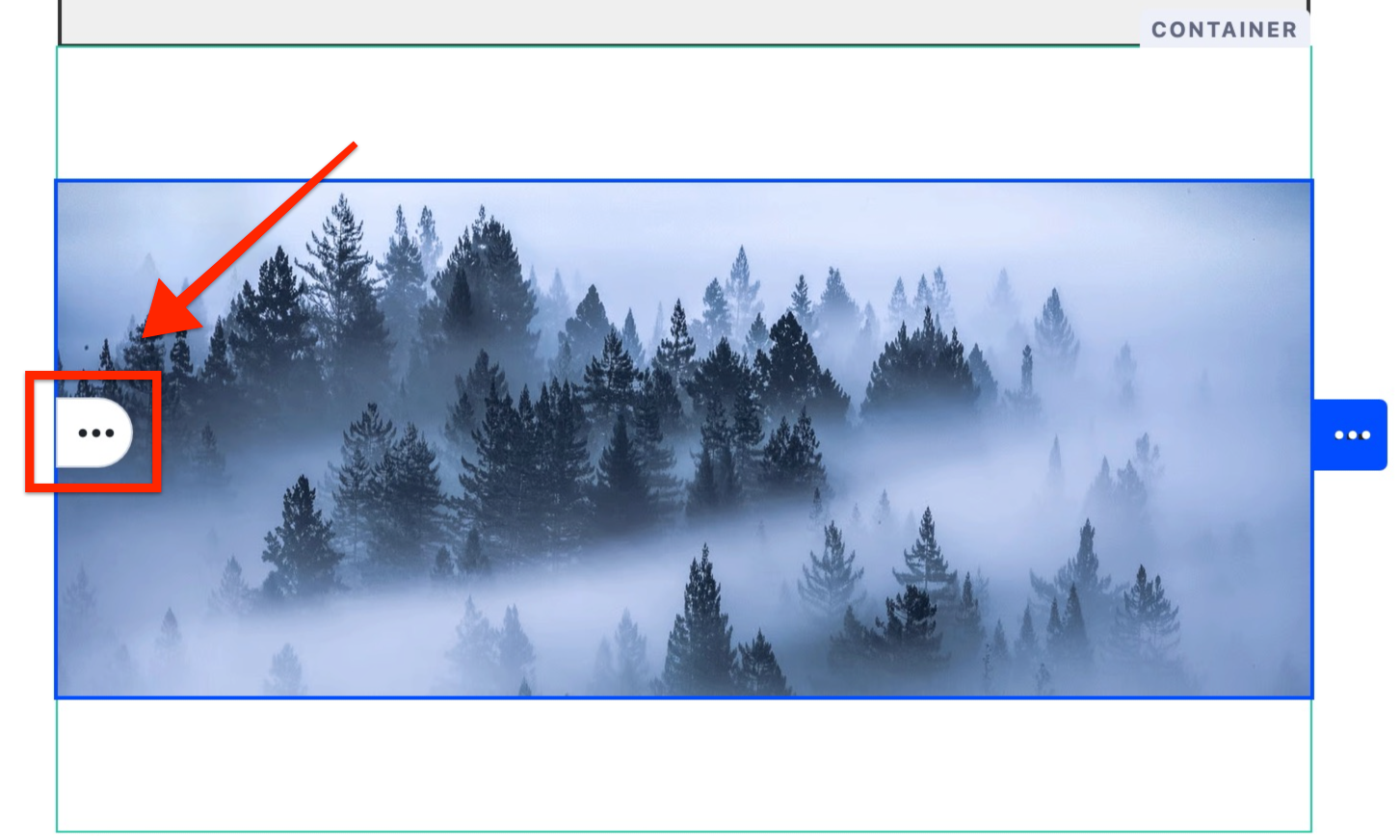
- From the Email Designer, hover over the container, structure, or section you wish to make conditional. Then hover over the three dots to the left of the block.
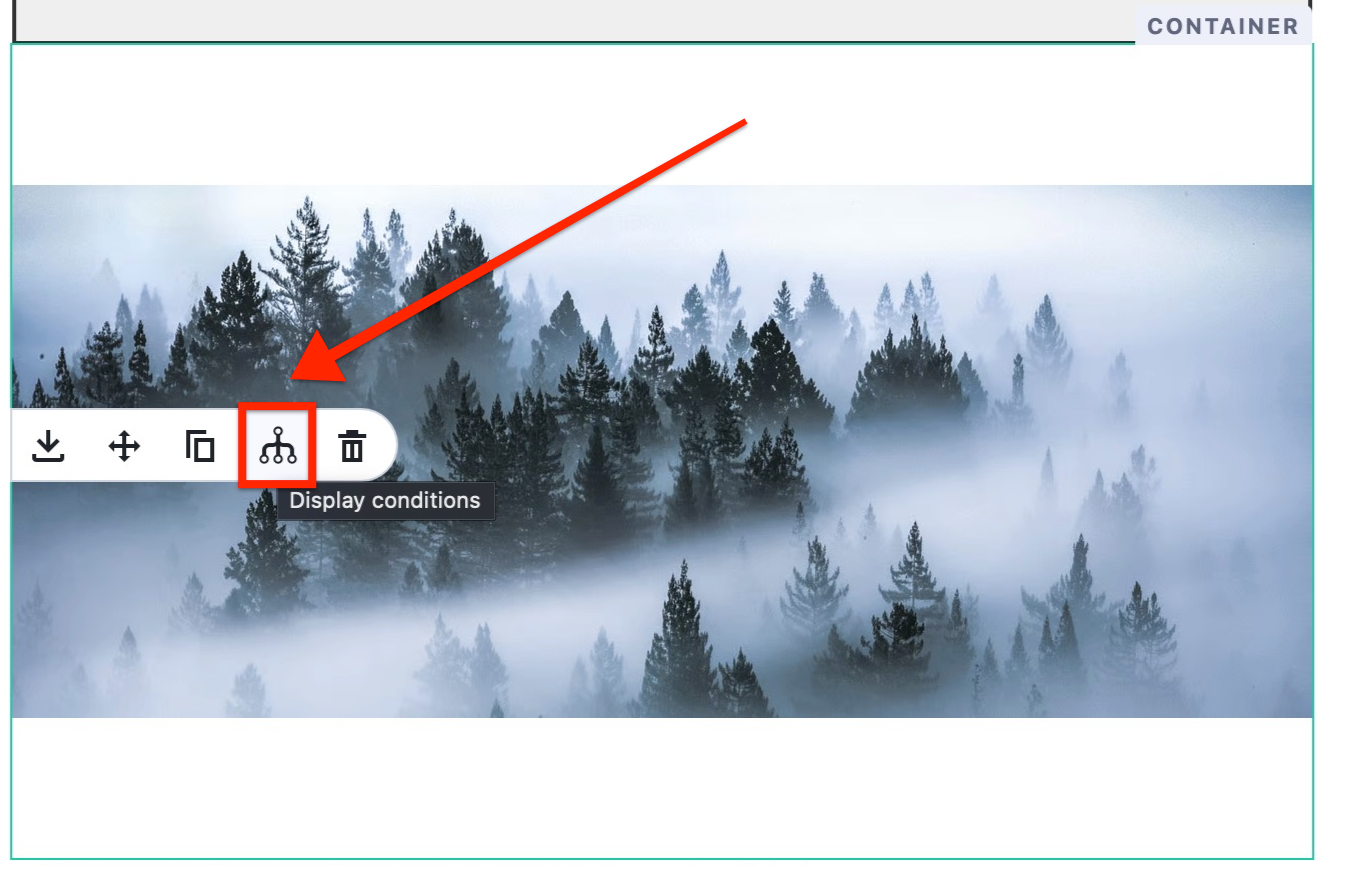
- Click the Conditional Content icon that appears.
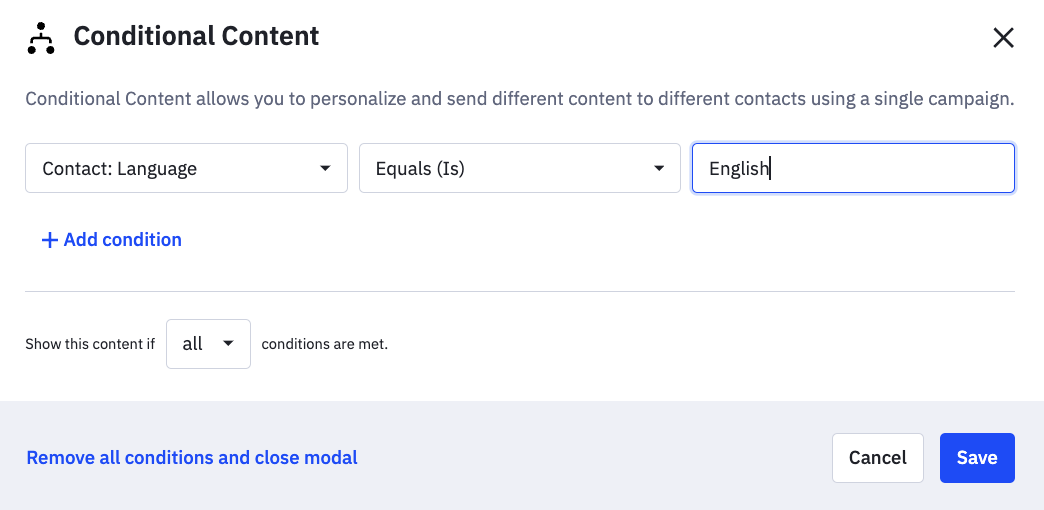
- A modal window will appear containing the segment builder. Use the segment builder to create the conditions you want to set.
or
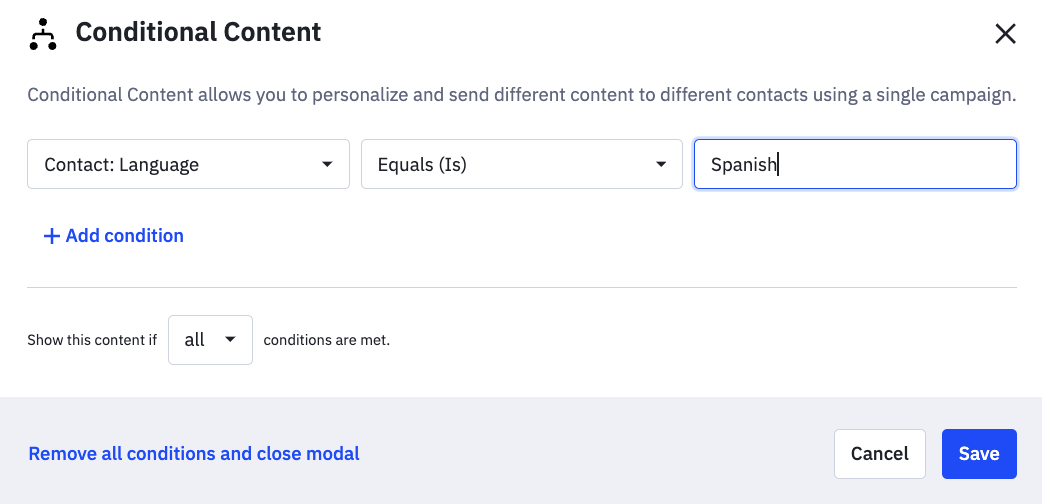
-
Optional: Click “Add condition” to add additional conditions.
-
Click “Save” when complete.
When the campaign is sent, the content you made conditional will hide or display based on the rules you set.
Method 2: Create an automation with an if/else “does the contact match the following conditions? (Language is Spanish, or Language is English, etc.)
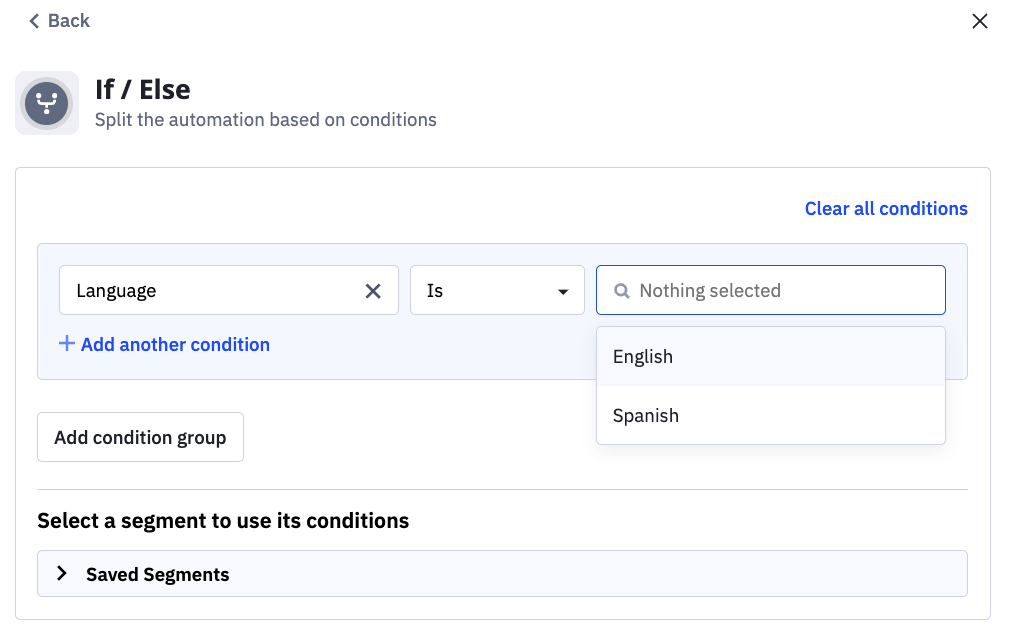
Method 3:
Completely separate automation for each language. Start trigger would have a segment for language, similarly to Method 2.